

Gaming Console Repair: A Local Guide

Table of Contents
Common Gaming Console Issues That Need Professional Repair Disc Drive Failures Overheating and Fan Problems HDMI Port and Controller Issues
Disc Drive Failures
Overheating and Fan Problems
HDMI Port and Controller Issues
DIY Troubleshooting Before You Visit a Repair Shop Power and Initialization Problems Software and Firmware Updates Liquid Damage Response
Power and Initialization Problems
Software and Firmware Updates
Liquid Damage Response
Gaming Console Repair Cost: What to Expect
How Long Does Console Repair Take Same-Day Service vs. Standard Turnaround
Same-Day Service vs. Standard Turnaround
Is Console Repair Worth It: When to Repair vs. Replace
How to Schedule Your Gaming Console Repair Walk-In vs. Mail-In Repair Services Getting a Free Repair Quote
Walk-In vs. Mail-In Repair Services
Getting a Free Repair Quote
Preventative Maintenance to Avoid Future Repairs Console Cleaning and Thermal Paste Care Protecting Your Device and Warranty Coverage
Console Cleaning and Thermal Paste Care
Protecting Your Device and Warranty Coverage
Conclusion
Last Updated: August 18, 2026
Common Gaming Console Issues That Need Professional Repair
Gaming console hardware failures happen more often than you'd think. Whether it's a PlayStation, Xbox, Nintendo Switch, or another system, these devices take a beating from regular use, environmental stress, and component wear. At PHONEPROBS, we see the same problems repeatedly, and many of them require professional attention to resolve safely.
The most common issues fall into a few predictable categories. Disc drive failures plague older console generations, especially systems that get heavy use. Overheating problems develop when dust accumulates inside the chassis or thermal paste degrades over time. HDMI port issues create no-signal scenarios that leave players frustrated. Controller drift, where analog sticks register movement without input, affects wireless and wired controllers alike. Power supply failures can prevent your console from turning on entirely.
Understanding what's actually broken helps you decide whether a local gaming console repair shop visit is necessary or if you can troubleshoot at home first.

Disc Drive Failures
Disc drives wear out. They're mechanical components with moving parts, and after thousands of read cycles, the laser lens degrades or the motor fails. When your console stops recognizing game discs or won't eject them, the drive is usually the culprit.
A disc drive failure means your console can't play physical media anymore. Some systems allow digital game installation as a workaround, but if your collection is physical, you've lost access to your library. The drive itself isn't repairable, it needs replacement. A professional gaming console repair shop can source the correct drive unit, install it properly, and test it with your own discs before you leave.
Overheating and Fan Problems
Dust buildup inside your console acts like insulation. It blocks airflow, traps heat, and eventually triggers thermal shutdown. Your system powers off mid-game to protect the motherboard from damage.
Fan replacement or console cleaning typically fixes this. A technician can disassemble your system safely, remove the dust, replace thermal paste between the CPU and heatsink, and verify temperatures return to normal. This isn't a DIY task if you're uncomfortable with electronics, one slip damages components permanently.
HDMI Port and Controller Issues
HDMI ports take physical stress every time you plug and unplug cables. Bent pins or loose connections inside the port prevent video signal transmission. You get a black screen even though your console is powered on.
Controller problems manifest differently. Drift occurs when the analog stick sensors misfire, registering movement when the stick is centered. Some controllers develop unresponsive buttons or charging issues. Port replacement requires micro-soldering skills. Controller repairs depend on the specific failure, sometimes a component swap fixes it; sometimes the entire controller needs replacement.
DIY Troubleshooting Before You Visit a Repair Shop
Not every gaming console issue requires professional intervention. Some problems resolve with basic troubleshooting that takes 15 minutes and costs nothing. Before you schedule a gaming console repair appointment, try these steps yourself.
Power and Initialization Problems
Your console won't turn on. Before assuming hardware failure, check the obvious first.
Verify the power outlet works by plugging in another device, a lamp, phone charger, anything. If that device powers on, the outlet is fine. Try a different power cable if you have one. Defective cables fail more often than you'd expect. Hold the power button for 30 seconds with the console unplugged, then plug it back in and try again. This forces a complete power cycle and clears temporary errors.
Check for visible damage to the power port. Bent pins, corrosion, or loose connections prevent power delivery. If the port looks damaged, that's a professional gaming console repair job, you can't fix it safely yourself.
Software and Firmware Updates
Software glitches cause unexpected shutdowns, freezing, or refusal to boot. Your console gets stuck on the startup screen or crashes when launching games.
Connect to Wi-Fi and check for system updates. Navigate to settings, find the system update option, and download any available firmware. This takes 10-30 minutes depending on file size. Don't power off during an update, let it complete fully. If your console freezes mid-update, hold the power button until it shuts down, then try the update again.
If updates don't resolve the issue, try initializing your system. This erases all data and reinstalls the operating system from scratch. Back up your saves first if possible. Initialization sometimes fixes corrupted software that updates can't repair.
Liquid Damage Response
Water or liquid spilled on your console requires immediate action. Power it off immediately, don't let it run. Unplug all cables.
Leave it unplugged and powered off for at least 48 hours. Don't try to power it on during this period. Moisture inside the system causes corrosion that worsens if electricity flows through wet circuits. After 48 hours, you can attempt to power on. If it works, you got lucky. If it doesn't, liquid damage repair is a professional gaming console repair job involving component-level cleaning and corrosion treatment.
Gaming Console Repair Cost: What to Expect
Repair pricing depends on what's broken. A disc drive replacement costs differently than a motherboard repair. Component availability, labor complexity, and your console model all factor into the final bill.
Rather than guessing at prices, contact your local gaming console repair shop for a free quote. Most reputable shops offer this service at no charge. Bring your console, describe the problem, and get a specific estimate. This prevents surprise costs and lets you decide whether repair makes financial sense versus replacement.
PHONEPROBS provides free repair quotes so you know exactly what you're paying for before committing. No hidden fees, no surprises at checkout.
How Long Does Console Repair Take
Turnaround time matters when you're without your system. Some repairs complete same-day; others take a week or more.
Same-Day Service vs. Standard Turnaround
Simple fixes like power cable replacement or controller swaps often complete within hours. You drop off your console in the morning and pick it up by evening. These are straightforward repairs that don't require parts ordering.
Complex repairs like motherboard replacement or liquid damage recovery take longer. The technician must source the correct component, perform delicate soldering or micro-repairs, and run extensive testing to verify the fix works. This typically takes 3-7 business days. Some gaming console repair shops offer expedited service for an additional fee if you need faster turnaround.
Ask about same-day service availability when you call. Not every shop offers it, and not every repair qualifies. A local gaming console repair shop with same-day capability is a huge advantage if you're desperate to get back to gaming quickly.
Is Console Repair Worth It: When to Repair vs. Replace
The repair-versus-replace decision depends on your console's age, the repair cost, and the console's current market value.
A five-year-old console with a broken disc drive might cost $80-150 to repair. A new or refurbished console of the same generation might cost $200-300. The repair makes sense financially. A 10-year-old console requiring a $300 motherboard replacement when you can buy a used replacement system for $150 doesn't make the same sense.
Consider also whether you're emotionally attached to that specific console. If it's your original system with years of memories, repair preserves that. If it's just a gaming device, replacement might feel less wasteful than pouring money into aging hardware.
Check what newer consoles cost. If the current generation is only slightly more expensive than repairing your old one, replacement becomes attractive. Factor in that repaired systems still have limited remaining lifespan, you might get 2-3 more years before something else fails.
How to Schedule Your Gaming Console Repair
Getting your console fixed starts with contacting a local gaming console repair shop and explaining your situation. Most shops make this process straightforward.

Walk-In vs. Mail-In Repair Services
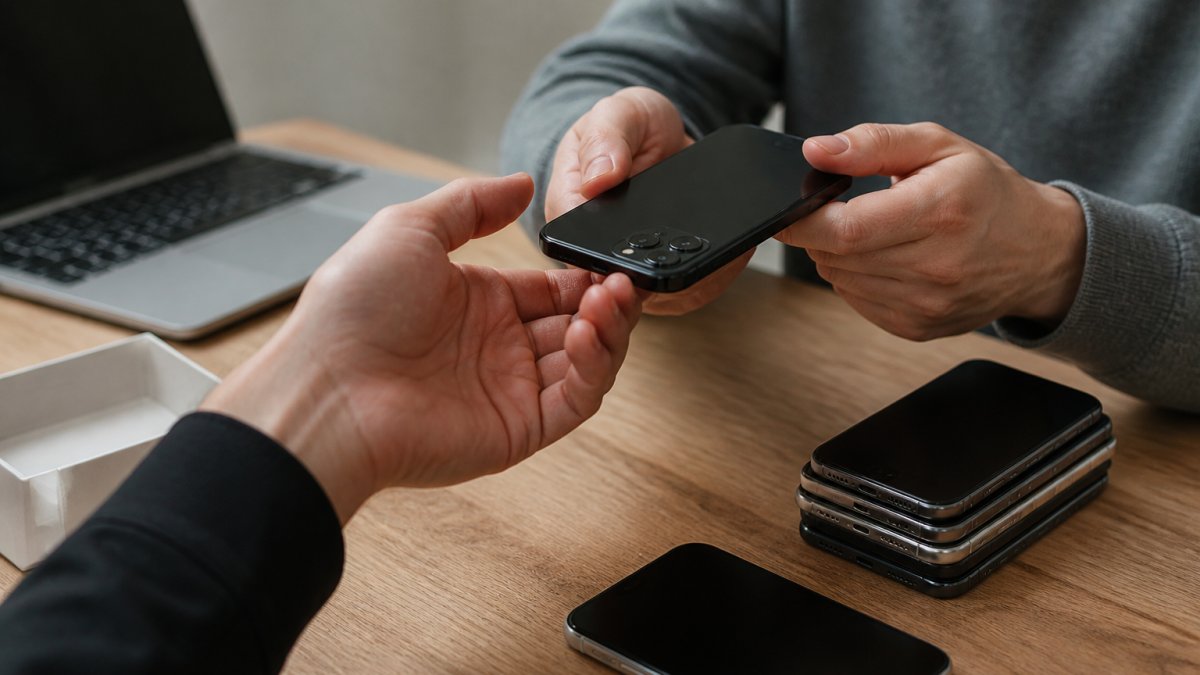
Walk-in service means you bring your console directly to the shop, hand it to a technician, and discuss the problem face-to-face. You can ask questions, get immediate estimates, and sometimes get same-day service. This works best if a local gaming console repair shop is nearby and your schedule allows a visit during business hours.
Mail-in service lets you ship your console to a repair facility. You pack it carefully, provide tracking, and wait for it to arrive. The shop diagnoses the problem, sends you an estimate, and proceeds once you approve. You ship it back when repair completes. Mail-in takes longer overall, you're waiting for shipping in both directions plus repair time, but it works if no local option exists nearby.
PHONEPROBS offers walk-in service so you can discuss your gaming console repair needs directly with our team and understand exactly what's happening to your device.
Getting a Free Repair Quote
Call ahead or visit in person to describe your console's symptoms. Provide details: the console model, what's not working, whether you've tried basic troubleshooting, and any error messages you've seen.
A technician will examine your console and provide a free estimate. This quote should specify exactly what's broken, what repair involves, how long it takes, and what you'll pay. Don't accept vague estimates. You want clarity before committing.
Ask about warranty on the repair. Reputable shops stand behind their work and offer at least a 30-day guarantee that the repair holds. Some offer longer coverage. This protects you if the same issue recurs shortly after repair.
Preventative Maintenance to Avoid Future Repairs
Your console needs basic care to stay healthy. Small maintenance habits prevent many common failures.
Console Cleaning and Thermal Paste Care
Dust accumulation is the enemy. Every few months, use compressed air to blow dust out of the console's ventilation openings. Hold the can upright, use short bursts, and don't shake the can. This removes surface dust before it gets sucked inside.
Every 2-3 years, consider professional cleaning. A technician can safely disassemble your console, remove internal dust, and replace thermal paste between the CPU and heatsink. This keeps temperatures optimal and extends component lifespan significantly. It's cheaper preventative maintenance than waiting for overheating failure.
Store your console in a cool, dry location. Avoid direct sunlight, moisture, and heat sources. Ensure ventilation openings aren't blocked by furniture or walls. Your system needs airflow to dissipate heat.
Protecting Your Device and Warranty Coverage
Use a surge protector for your power connection. Power spikes from electrical storms or grid fluctuations can damage the power supply. A quality surge protector absorbs these spikes and protects your console.
Avoid moving your console while it's running. Internal components are sensitive, and sudden movement can cause damage. Power off before transport, wait a few minutes, then move it.
Keep your console away from pets and children if possible. Spilled drinks, dropped controllers, and physical impacts cause many repairs. If you have kids, establish rules about careful handling and liquid-free gaming zones.
Check your console's warranty status. Some manufacturers offer extended coverage. If your console is still under warranty, certain repairs might be free or reduced-cost. Verify coverage before paying for professional gaming console repair out of pocket.
When your gaming console stops working, the path forward depends on what's broken and how quickly you need it fixed. Basic troubleshooting solves some problems immediately. Others require professional diagnosis and component-level repair. PHONEPROBS specializes in gaming console repair. We provide free quotes upfront so you understand costs before committing, and we stand behind every repair with a warranty guarantee. Stop by today to discuss your console's specific problem and get back to gaming faster.
Frequently Asked Questions
What are the most common gaming console issues that require professional repair?
The most frequent problems include disc drive failures that prevent games from loading, overheating issues caused by dust buildup or failing fans, HDMI port damage that results in no video output, controller drift affecting gameplay, and power supply failures. Liquid damage and motherboard issues also require professional component-level repair. If your console won't power on, displays errors during system initialization, or shows signs of physical damage, a certified technician can diagnose the exact problem and recommend the best solution.
How long does console repair take at a local shop?
Turnaround time depends on the issue and service type. Simple repairs like fan replacement or thermal paste replacement may be completed same-day, typically within 2-4 hours. More complex issues such as motherboard repair, disc drive replacement, or data recovery can take 3-7 business days. Many local shops offer same-day service for common problems if parts are in stock. Call ahead for a free repair quote and ask about current turnaround times, most shops can give you an estimate once they've performed hardware diagnostics.
Is console repair worth it compared to buying a new one?
Repair is worth it if your console is relatively recent and the fix costs significantly less than replacement. For example, HDMI port replacement or fan repair typically costs far less than a new system. However, if your console is older and multiple components are failing, replacement may be more economical. Consider the device's age, warranty coverage available after repair, and whether the console still plays the games you want. A professional technician can provide a free quote so you can make an informed decision about repair versus replacement.
Can you recover data from a water-damaged gaming console?
Data recovery is possible in many cases, but it depends on the extent of liquid damage and how quickly you act. Stop using the device immediately and bring it to a professional repair shop, do not attempt to power it on. Technicians can assess whether the storage drive is salvageable and retrieve your game saves, user profiles, and other data. However, if the motherboard or storage components are severely corroded, recovery may not be possible. Professional data recovery services increase repair costs, so getting a free quote and asking about data recovery options before proceeding is important.
BOOK YOUR REPAIR
This article was written using GrandRanker

Comments