

How to Safely Open a Water Damaged Phone

Table of Contents
Tools Needed to Open a Smartphone Safely
Step-by-Step: How to Safely Open a Water Damaged Phone
Step 1: Power Down and Remove the SIM Tray
Step 2: Identify Your Phone's Entry Method Before You Pry
Step 3: Apply Heat Gently and Evenly
Step 4: Disconnect the Battery Before Anything Else
Step 5: Photograph Every Layer as You Go
Signs of Internal Water Damage in Phones
External Warning Signs
Board-Level Visual Diagnostic Checklist
What Each Finding Means for Your Next Move
How to Clean Corrosion Off a Phone Motherboard
Salt Water vs. Fresh Water: Why the Damage Is Different
When to Stop and Seek Professional Repair
Warranty and Insurance: What You Need to Know
Conclusion
Frequently Asked Questions
Last Updated: September 16, 2026
Tools Needed to Open a Smartphone Safely
Most guides tell you to bury a wet phone in rice. That advice is wrong and wastes the hours that matter most. To safely open a water damaged phone, the first step isn't rice, it's having the right tools.
At PHONEPROBS, we see the results of rushed, improvised teardowns every week, and the damage is almost always preventable. Opening a phone demands the right instruments and a clean, static-free workspace.
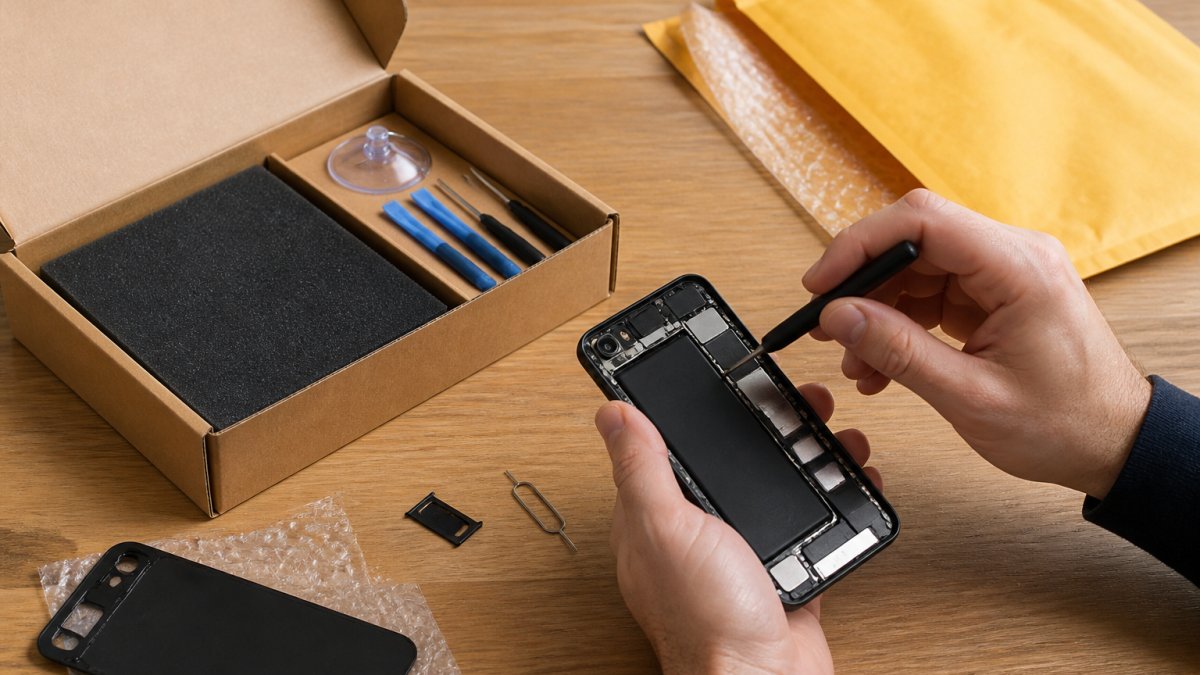
Here's what you actually need before you start:
A small Phillips and Pentalobe screwdriver set sized for phone screws
Plastic pry tools or guitar picks (never metal, which scratches and shorts components)
A suction cup for lifting the display
90% or higher isopropyl alcohol and lint-free swabs
Silica gel packets or a sealed container with a desiccant
Anti-static wrist strap or mat
A shallow tray with labeled compartments for screws
A common mistake is skipping the anti-static strap. Static electricity can fry a logic board instantly, and you won't see the damage until the phone fails to boot days later.
Step-by-Step: How to Safely Open a Water Damaged Phone
The single most important rule: power down and disconnect the battery before you pry anything open. A water damaged phone with a live battery can short circuit the moment liquid bridges two contacts, turning a repairable device into a paperweight.

Follow these steps in order and don't rush. The exact entry method depends on how your phone was built, and knowing your category prevents the most common teardown mistakes.
Step 1: Power Down and Remove the SIM Tray
Press and hold the power button until the device shuts off completely. If the screen is unresponsive, force restart to confirm it's off, then leave it alone. Do not plug it in to "test" whether it still works, because charging pushes current through wet circuitry.
Next, eject the SIM tray with a paperclip or SIM tool. Removing the SIM and memory card protects your data and gives moisture an escape path. Set them aside on a dry cloth.
Step 2: Identify Your Phone's Entry Method Before You Pry
Phones open in three broad ways, and the wrong approach cracks displays and tears flex cables:
Rear glass or back panel (most modern flagship and midrange phones): The back is glued on. Heat the perimeter to soften the adhesive, then work a suction cup and thin pry pick into the seam. Adhesive is strongest at the corners and camera bump.
Display-first (many older and some current models): The screen lifts off the front. Heat the edges, insert a pick just below the glass, and slice the adhesive around the perimeter. The display flex cable usually runs along one edge, so never pry deep there.
Removable back cover (older and budget models): A fingernail or plastic opening tool releases clips around the edge. No heat needed, but the clips snap if you force them.
If you're unsure which category your phone falls into, search your exact model plus "teardown" first. A two-minute video saves a cracked screen.
Step 3: Apply Heat Gently and Evenly
Adhesive softens around 140 to 160 degrees Fahrenheit. A hair dryer on its lowest setting, held several inches away and moved constantly, is enough. Don't concentrate heat in one spot or use a heat gun on high, which can discolor OLED panels and warp plastic frames. Warm one edge, work your pick, then move to the next.
Step 4: Disconnect the Battery Before Anything Else
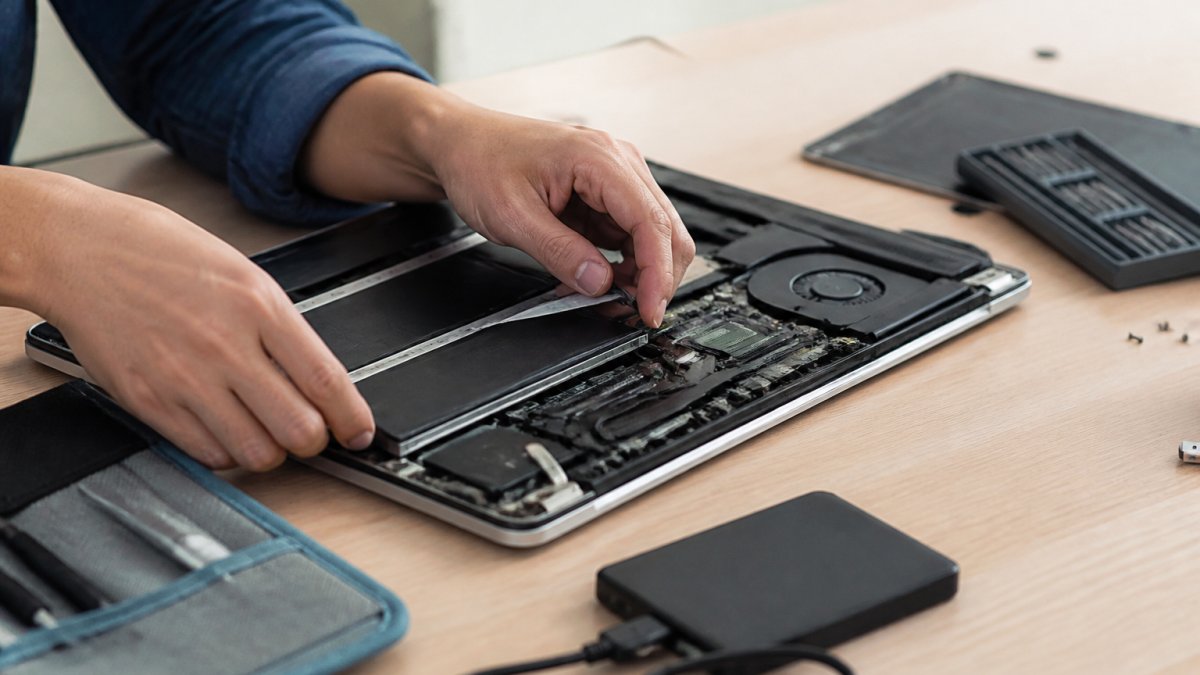
Once inside, first disconnect the battery connector from the logic board. On most phones this is a small press-fit connector held by a bracket or single screw. Remove the bracket screw, then lift the connector straight up with a plastic spudger. Never lever it sideways, which bends the pins.
Only after the battery is isolated should you touch anything else. This prevents the short circuit that ruins most water damaged phones. If the battery is soldered or buried under the board, stop and treat it as a professional job.
Step 5: Photograph Every Layer as You Go
Before you remove any screw or cable, take a photo. Screws come in different lengths, and putting a long screw into a short hole can punch through the board. A shallow tray with labeled compartments keeps them organized.
Watch Out Never pry near the battery itself with a metal tool. A punctured lithium-ion cell can vent hot gas or ignite. If you smell a sweet chemical odor or see a swollen battery, stop immediately and move the phone to a fire-safe area outdoors.
Signs of Internal Water Damage in Phones
A phone that turns on after a spill isn't necessarily fine. Internal water damage often hides until corrosion spreads, and by then repairs cost far more. Knowing what to look for tells you whether to keep going or hand it off.
Start with what you can see outside, then use the board-level checklist once the device is open.
External Warning Signs
Watch for these before you open anything:
A liquid contact indicator (LCI) that has turned red or pink instead of its normal white
Fog or droplets trapped behind the camera lens or display
Green or white crusty residue on the logic board, connectors, or charging port
A display that flickers, shows dead zones, or has darkened patches
The phone overheating during charging or refusing to charge at all
Random shutdowns, boot loops, or a battery that drains unusually fast
The LCI is your most reliable early signal.
Board-Level Visual Diagnostic Checklist
Once the phone is open and the battery disconnected, work through this checklist with a bright light and, if you have one, a magnifying loupe.
What Each Finding Means for Your Next Move
Light, powdery residue on connectors only: Cleanable with isopropyl alcohol.
Key Takeaway If you find corrosion under a chip, across multiple layers of the board, or any burnt or blistered area, the DIY phase is over. Cleaning further can spread residue and destroy your only chance at data recovery. Photograph what you see, reassemble loosely, and take it to a technician.
How to Clean Corrosion Off a Phone Motherboard
Corrosion is the real killer in a water damaged phone, not the water itself.
Watch Out Don't power on the phone to "see if it works" between cleaning steps. Each power cycle with residual moisture risks a short circuit that can permanently destroy the logic board and your data with it.
Salt Water vs. Fresh Water: Why the Damage Is Different
Fresh water and salt water damage a phone differently, and treating them the same is a costly error.
Water Type | Primary Risk | First Priority | Urgency |
Fresh water | Mineral residue, slow corrosion | Dry and clean connectors | Moderate |
Salt water | Fast oxidation, short circuits | Rinse with distilled water, then clean | Immediate |
Chlorinated pool | Electrolyte corrosion, residue | Rinse and dry thoroughly | High |
Sugary drinks | Sticky residue, board damage | Isopropyl alcohol cleaning | High |
When to Stop and Seek Professional Repair
The corrosion has spread under chips or across the logic board
The screen or back glass is cracked, letting moisture reach deeper layers
The phone won't power on after a full dry and clean
You need the data recovered, not just the phone fixed
You don't have the tools or aren't comfortable with disassembly
Pro Tip If the phone is worth more than a few hundred dollars or holds important data, the smart move is to skip the DIY teardown entirely. A professional assessment often costs less than the parts you'd buy guessing at the problem.
Warranty and Insurance: What You Need to Know
A few things to keep in mind:
Document everything with photos before you open the phone, in case you file a claim
Don't mention DIY disassembly to an insurer if you want the claim approved, since it can void coverage
Trade-in programs generally won't accept a water damaged phone at full value
A local repair shop can often fix what insurance would rather replace
Conclusion
Water damage is a race against corrosion, and the wrong first move, rice, a charger, or a rushed teardown, costs people their data and devices.
Get started with PHONEPROBS and book your repair today.
Frequently Asked Questions
Can a water damaged phone be recovered?
Yes, in many cases. Recovery odds depend on how quickly you power it down, whether the liquid was fresh or salt water, and how much corrosion has set in. Fresh water damage caught early often responds well to cleaning and drying. Salt water is more aggressive because its electrolytes accelerate oxidation on the logic board. If the phone won't turn on after drying, a repair shop can assess the internal components and attempt data recovery before any board-level work.
What are the risks of opening a smartphone yourself?
The biggest risks are cracking the screen or back glass, tearing fragile ribbon cables, and causing a short circuit if the battery isn't disconnected first. Static electricity can also fry sensitive circuitry. Water-damaged phones are especially fragile because corrosion weakens solder joints. If you aren't comfortable with precision tools, a professional repair is safer and often cheaper than replacing a ruined logic board.
Does opening a phone void the manufacturer's warranty?
In most cases, yes. Manufacturers like Apple and Samsung consider any third-party disassembly a breach of warranty terms, and a liquid contact indicator that has turned red will void coverage regardless. If your phone is still under warranty or you have carrier insurance, check the terms before opening it yourself. A professional repair shop can advise whether a warranty claim or a paid repair makes more financial sense for your situation.
How long does it take for a phone to fully dry out?
Surface moisture can evaporate in 24 to 48 hours with good air circulation, but liquid trapped inside the chassis near the logic board may take several days to dry. Even then, dissolved minerals and salts remain and continue to corrode circuitry. That's why drying alone isn't enough. The phone needs to be opened, the board inspected, and corrosion cleaned with isopropyl alcohol if you want to prevent long-term hardware failure.
BOOK YOUR REPAIR

Comments