

Best Phone Screen Protector After Repair

Table of Contents
Why Screen Protection Matters After a Repair
Tempered Glass vs. Hydrogel Screen Protector: Which Works Better Post-Repair
Top Screen Protectors for Repaired Phones
Spigen GlasTR EZ Fit: Easy Alignment for Fresh Screens
ZAGG InvisibleShield: Lifetime Warranty Protection
amFilm Tempered Glass: Budget-Friendly Reliability
Torras Diamond Shield: Maximum Scratch Resistance
IQ Shield LiquidSkin: Curved Screen Solution
How to Apply Screen Protector Without Bubbles on a Repaired Screen
Prepare Your Repaired Screen
Use the Right Installation Method
Common Installation Mistakes to Avoid
Does Screen Repair Affect Touch Sensitivity After Adding Protection
Adhesion and Warranty Concerns for Post-Repair Protection
How to Choose the Right Protector for Your Repaired Phone
Frequently Asked Questions
Last Updated: October 2, 2026
Why Screen Protection Matters After a Repair
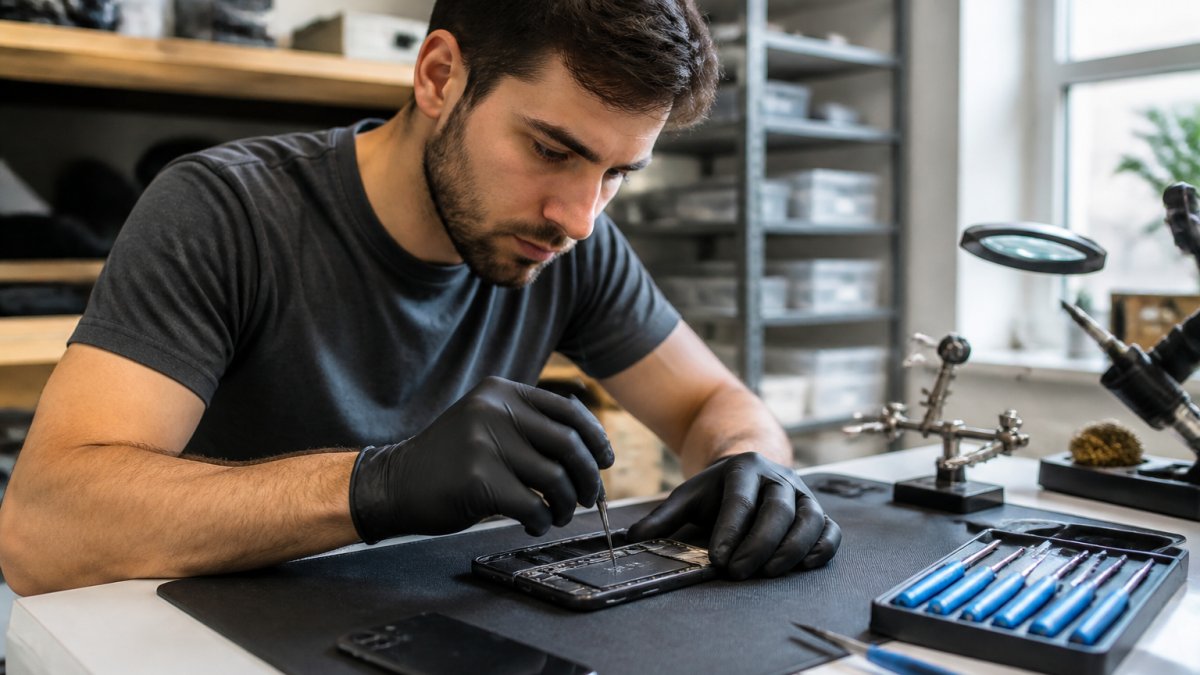
A cracked screen repair replaces the glass, but it doesn't restore the device's original durability. Your phone is now vulnerable to the same damage that cracked it the first time. Adding a screen protector after repair is one of the smartest moves you can make to protect your investment and avoid another costly trip to the repair shop.
The adhesive on a freshly repaired screen behaves differently than factory glass. Choosing the right phone screen protector after repair means understanding how these protectors interact with that new surface and whether touch sensitivity will be affected.
The right protector, applied correctly, virtually eliminates the risk of repeat damage. We'll cover the best options, installation techniques, and specific concerns for fresh repairs.
Pro Tip Most screen protectors work fine on repaired screens, but adhesion quality varies dramatically. A protector that slides off or bubbles excessively won't protect anything, it'll just frustrate you into removing it.
Tempered Glass vs. Hydrogel Screen Protector: Which Works Better Post-Repair
The choice depends on your phone's screen type. Both work on repaired screens but handle adhesion differently.
Tempered glass bonds through permanent adhesive and grips new glass reliably when properly prepared. The 9H hardness absorbs impact, but if adhesion fails, the entire protector peels off at once.
Hydrogel protectors use flexible TPU film with gel-based adhesive that conforms to curved edges and self-heals minor scratches. They adhere better to curved screens but offer less scratch resistance than tempered glass.
For repaired screens: tempered glass works best on flat displays; hydrogel prevents bubbling on curved or edge-to-edge screens.
Protection Type | Adhesion on Repaired Screens | Best For | Durability | Touch Feel |
Tempered Glass | Excellent on flat screens | Flat displays, maximum protection | 9H hardness, long-lasting | Smooth, glass-like |
Hydrogel Film | Better on curved edges | Curved displays, edge-to-edge | Self-healing, moderate scratch resistance | Slightly softer |
Top Screen Protectors for Repaired Phones
Spigen GlasTR EZ Fit: Easy Alignment for Fresh Screens
The Spigen GlasTR EZ Fit solves installation frustration with an auto-alignment tray that guides glass into perfect position without air bubbles.
The 9H hardness handles impacts, the oleophobic coating reduces fingerprints, and it's case-friendly.
The alignment frame removes guesswork and prevents unprotected edges.
Pros:
Installation frame makes bubble-free application nearly foolproof
High clarity and responsive touch
Affordable at around $15.99
Cons:
Alignment frame adds bulk to the package
Slightly thicker than ultra-thin competitors
Best for: Anyone who's struggled with protector installation before. The frame alone justifies the price.
ZAGG InvisibleShield: Lifetime Warranty Protection
ZAGG InvisibleShield offers a limited lifetime warranty on replacements, genuine peace of mind after a screen repair.
The anti-microbial treatment keeps bacteria and fungi off the surface.
The glass-like surface finish provides excellent touch response. You won't feel like you're typing on a plastic sheet.
Pros:
Limited lifetime warranty is unmatched
Ion Matrix technology genuinely absorbs impact
Excellent customer support
Cons:
Higher price point at $39.99
Premium pricing limits appeal to budget-conscious buyers
Best for: Anyone who wants the strongest warranty available. The lifetime replacement guarantee makes it worth the extra cost.
amFilm Tempered Glass: Budget-Friendly Reliability
amFilm delivers solid protection at $9.99 without sacrificing quality. High-transparency glass preserves original color and brightness.
The package includes cleaning wipes and dust removal stickers, important for repaired screens where dust particles create visible spots and weaken adhesion.
Multi-pack options let you protect multiple devices or keep spares on hand. That value proposition is hard to beat.
Pros:
Best price-to-quality ratio
Includes cleaning supplies
Multi-pack options offer excellent value
Cons:
Installation kit is less sophisticated than premium brands
Fewer premium features overall
Best for: Budget-conscious users who want reliable protection without paying for extras they won't use.
Torras Diamond Shield: Maximum Scratch Resistance
Torras Diamond Shield uses diamond-infused glass for extreme hardness beyond standard 9H rating, ideal for scratch-prone users.
The nano-coating reduces smudges, and full-screen coverage protects edges.
The easy-alignment tool prevents off-center placement, critical on repaired screens to avoid exposing new glass.
Pros:
Diamond-infused glass offers maximum scratch protection
Superior anti-fingerprint coating
Professional installation feel
Cons:
Higher cost at $24.99
Premium features may be overkill for casual users
Best for: Users who prioritize scratch resistance and want the best optical clarity available.
IQ Shield LiquidSkin: Curved Screen Solution
IQ Shield LiquidSkin is ideal for curved displays, the flexible TPU film conforms without bubbling or peeling.
Self-healing technology repairs minor scratches automatically, and the wet-install method ensures bubble-free coverage.
For curved screens, hydrogel is the most reliable option, rigid glass edges lift and trap air.
Pros:
Self-healing properties extend protector lifespan
Perfect for curved and edge-to-edge displays
Bubble-free wet installation
Cons:
Installation takes longer due to wet-application method
Slightly less scratch resistance than tempered glass
Lower light transmittance than premium glass options
Best for: Curved-screen phones where tempered glass would fail. The self-healing feature is a genuine advantage for daily-use protection.
How to Apply Screen Protector Without Bubbles on a Repaired Screen
Prepare Your Repaired Screen
Power off your phone completely and wait 30 minutes for temperature to stabilize, heat and static electricity interfere with adhesion.

Use the wet wipe to clean the screen in one direction, then let it dry completely, moisture causes adhesion failure or visible spots.
Use the dry wipe to remove residue, the screen should feel completely smooth, as a single dust particle weakens adhesion.
If applying a protector immediately after repair, ask your technician to verify the screen is clean for optimal adhesion.
Use the Right Installation Method
For tempered glass with an alignment frame: Position the frame over your screen and lower the glass slowly, it should settle smoothly without resistance.
For tempered glass without a frame: Align one edge first, lower slowly, then smooth bubbles from center outward with a microfiber cloth.
For hydrogel film: Apply solution to screen and protector back, position carefully, then use a squeegee to push out excess liquid from center outward.
Key Takeaway The single biggest mistake is rushing installation. Spend five minutes getting it right the first time rather than peeling it off and reapplying it three times. Each application weakens adhesion on the fresh repair surface.
Common Installation Mistakes to Avoid
Touching the adhesive side. Finger oils reduce adhesion permanently, wipe with the dry cloth if touched.
Applying to a dusty screen. Microscopic dust creates visible spots and weakens adhesion, clean twice if uncertain.
Applying the protector in a humid environment. Moisture interferes with adhesion and creates bubbles that won't disappear.
Waiting less than 24 hours before using your phone heavily. The adhesive needs time to set completely.
Does Screen Repair Affect Touch Sensitivity After Adding Protection
A properly installed protector should not affect touch sensitivity, high-quality protectors add minimal thickness and don't interfere with capacitive sensors.
Cheap protectors sometimes reduce touch responsiveness, budget glass requires more pressure to register touches, which is annoying but not dangerous.
Ask your technician to test touch sensitivity before leaving, once confirmed, a quality protector won't change behavior.
Phones with in-display fingerprint sensors may experience reduced accuracy under certain protectors, test immediately after installation and switch if unreliable.
Adhesion and Warranty Concerns for Post-Repair Protection
Most repair shops won't void your warranty because you added a protector.
However, and this is important, some warranty terms specify that damage caused by accessories isn't covered.
The safest approach is to ask your repair technician directly: "Will adding a screen protector affect my warranty?" Get their answer in writing if possible.
For adhesion specifically, the first 48 hours after repair are critical. The new screen's adhesive is still setting during this period.
Watch Out Never apply a protector if the repair technician tells you to wait. They've assessed your specific phone and repair. Ignoring their advice could void your warranty or cause adhesion failure.
How to Choose the Right Protector for Your Repaired Phone
Start by identifying your phone's screen type: flat, curved, or edge-to-edge. Flat screens work with any protector.
Next, assess your actual protection needs.
Consider your budget honestly. A $40 protector isn't worth it if you'll remove it after two weeks because you hate the feel.
Test the installation method before committing.
Finally, check the warranty. ZAGG's lifetime replacement offer is genuinely valuable.
Selection Factor | Best Choice | Why It Matters |
Flat screen, impact-focused | Torras Diamond Shield | Maximum hardness, proven adhesion |
Curved screen | IQ Shield LiquidSkin | Flexible film prevents bubbling |
Budget-conscious | amFilm Tempered Glass | Best value without sacrificing quality |
Warranty coverage | ZAGG InvisibleShield | Lifetime replacements reduce long-term cost |
Easy installation | Spigen GlasTR EZ Fit | Alignment frame eliminates bubbles |
After a screen repair, your phone's durability depends entirely on what you do next.
At PHONEPROBS, we recommend starting with a protector within 48 hours of your repair. Choose based on your screen type and protection priorities. If you're unsure which option works best for your specific phone, BOOK YOUR REPAIR and ask our team for a recommendation during your visit. We can point you toward the option that'll actually work for your device and how you use it.
Frequently Asked Questions
Should I wait before applying a screen protector after a screen repair?
Yes, waiting 24-48 hours after a screen repair allows the adhesive on your new screen to fully cure. Applying a protector too soon can trap moisture or prevent proper adhesion. This is especially important if your repair involved adhesive-based screen replacement. Check with your repair technician about their recommended timeline before adding a screen protector.
Are tempered glass protectors better than hydrogel after a repair?
Tempered glass offers superior scratch resistance and clarity but requires a perfectly flat surface for adhesion. Hydrogel films are more forgiving on slightly uneven repaired screens and self-heal minor scratches, making them better for post-repair situations. Tempered glass provides better impact protection; hydrogel provides better flexibility and easier application on imperfect surfaces.
Does a screen repair affect touch sensitivity, and will a protector make it worse?
A quality screen repair should not affect touch sensitivity if performed correctly. However, adding a protector can slightly reduce responsiveness depending on thickness and material. Ultra-thin tempered glass (under 0.3mm) minimizes this impact. If you experience touch lag after adding a protector, try a thinner option or contact your repair shop to verify the digitizer was properly calibrated during the repair.
What should I avoid when applying a screen protector to a repaired phone?
Avoid applying protectors immediately after repair, installing in humid environments, using excessive pressure during application, and touching the adhesive side with bare fingers. Don't apply protectors over dust or debris on the new screen. If your repair included water damage treatment, ensure the screen is completely dry before adding a protector to prevent trapping moisture underneath.
BOOK YOUR REPAIR

Comments