

Best Way to Trade In Phone: 2026 Cash vs Credit Guide

Table of Contents
Trade In Phone Options: What's Actually Worth Your Time
Carrier Trade-In Programs: Fast Credit, Lower Payout
How to Prepare Phone for Trade In: A Step-by-Step Checklist
Trade In Old Phone for Cash: Comparing Buyback Services
Local Trade-In vs. Mail-In: Security and ConvenienceThe Real Security Risk: Improper Data WipingShipping Risks: What Actually Goes WrongThe Local Advantage: Verification and Immediate Resolution
The Real Security Risk: Improper Data Wiping
Shipping Risks: What Actually Goes Wrong
The Local Advantage: Verification and Immediate Resolution
Cracked Screens and Battery Health: Maximizing Your OfferHow Condition Grading WorksThe Repair Economics: When to Fix Before You TradeBattery Replacement: A Cheaper Fix with a Big PayoffWhat About Other Damage?
How Condition Grading Works
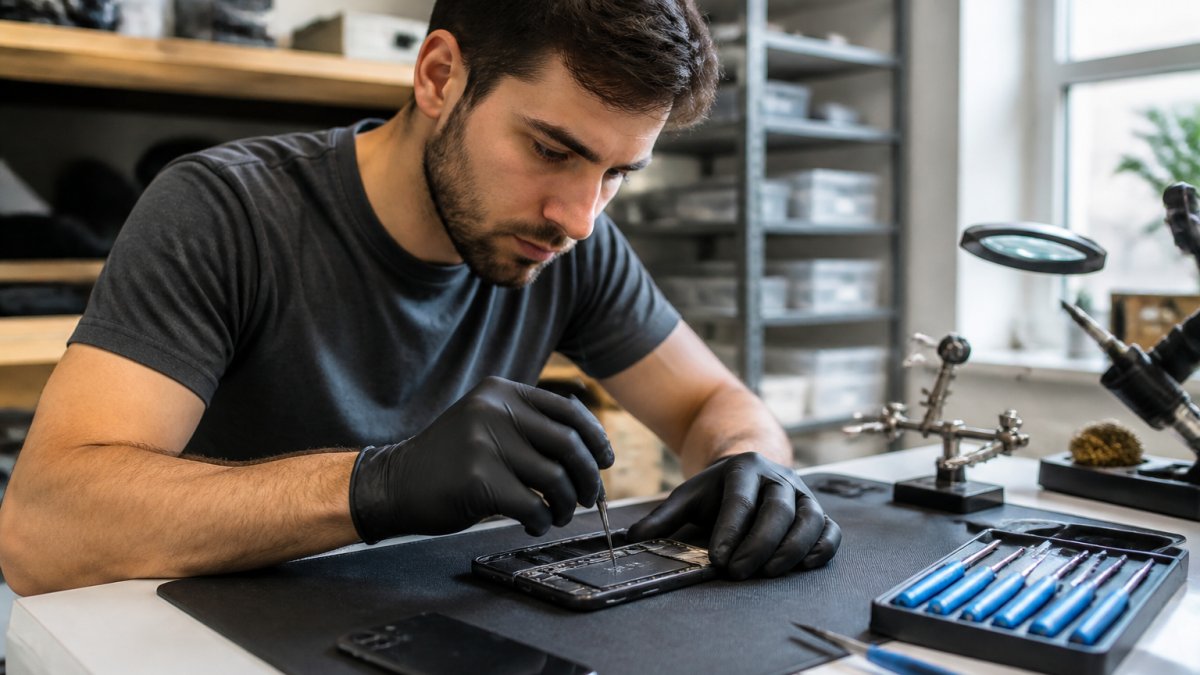
The Repair Economics: When to Fix Before You Trade
Battery Replacement: A Cheaper Fix with a Big Payoff
What About Other Damage?
The Environmental Angle: Recycling vs. Reselling
Conclusion: Pick the Best Route for Your Device
Frequently Asked Questions
Last Updated: September 6, 2026
Trade In Phone Options: What's Actually Worth Your Time
The best way to trade in phone depends on whether you prioritize instant convenience or maximum payout. Most people default to their carrier's program because it's the path of least resistance, but that convenience often costs real money.
A trade-in program exchanges your used device for store credit, a gift card, or cash, with value determined by model, condition, and market demand. Decide what matters more: walking out with a new device today, or putting the most money back in your pocket.
The three main routes are carrier programs, buyback services, and local retailers, each with different trade-offs between speed, payout, and flexibility.
Below, we'll show you how to prepare your device, compare cash versus credit offers, and avoid security pitfalls. But first, here's what most guides get wrong: they assume your phone is in perfect condition. Device condition grading, especially for cracked screens and battery health, changes which route is best.
Carrier Trade-In Programs: Fast Credit, Lower Payout
Carrier programs are the most popular choice because they're built into the upgrade cycle. You walk into a store, hand over your old phone, and the credit appears on your bill or applies instantly to a new device. This is the best way to trade in phone when you're already upgrading and want zero friction.
The trade-off is that carriers grade devices against strict criteria and often structure best offers as bill credits spread over 24 or 36 months, locking your value to that carrier's ecosystem. The quoted amount can drop if inspection finds issues you didn't mention.
Store credit through a carrier is convenient but rarely the highest offer. The appraisal process is automated, and carriers price in their own margin. If you're comfortable with the credit amount and want simplicity, this route works, just read the fine print on how credit is applied.
Watch Out A common mistake is assuming your trade-in quote is final. Carriers often reserve the right to adjust the value after receiving your device if the hardware inspection finds a cracked screen, water damage, or an activation lock that wasn't disclosed. You can end up with a fraction of the quoted amount.
How to Prepare Phone for Trade In: A Step-by-Step Checklist
Knowing how to prepare phone for trade in properly is the difference between a smooth transaction and a rejected offer. The process takes about 30 minutes, but skipping a step can cost you the entire trade-in value.
Step 1: Back up your data. Use cloud backup for your photos, contacts, and app data. Verify the backup completed before you wipe anything.
Step 2: Sign out of accounts. This includes your Apple ID or Google account, plus any banking and social apps. Failing to remove the activation lock is the number one reason devices get rejected.
Step 3: Factory reset your phone. Go to Settings, find the reset option, and erase all content and settings. This performs secure data erasure and removes your personal information.
Step 4: Remove the SIM card and any case or screen protector. The device should be in its bare state for the device assessment.
Step 5: Clean the device. Wipe down the screen and body. A clean phone photographs better for online quotes and makes a better impression during in-person hardware inspection.
Step 6: Gather your IMEI number. You'll need this for most trade-in estimators. Dial *#06# to find it, or check your Settings menu.

Pro Tip Take photos of your device from every angle before shipping it. If the buyer claims the phone arrived with a cracked screen, you'll have timestamped evidence of its actual condition when it left your hands. This protects you during mail-in trade-ins.
Trade In Old Phone for Cash: Comparing Buyback Services
If you want to trade in old phone for cash rather than store credit, buyback comparison services are where the real money is. These platforms aggregate offers from multiple independent buyers, letting you see the market value of your device across dozens of companies at once.
A service like SellCell's trade-in comparison engine pulls real-time offers from numerous verified buyers. Similarly, BankMyCell's buyback aggregator lets you compare cash payouts side by side, filtering by payment speed and buyer reputation. These tools are free to use and show you the spread between what a carrier offers and what a dedicated reseller will pay.
The catch is that you're managing the transaction yourself. You'll ship the device, wait for the buyer's inspection, and hope the final offer matches the quote. Payment can arrive as a check, PayPal transfer, or prepaid card depending on the buyer.
Trade-In Route | Payout Type | Speed | Best For |
Carrier Program | Bill credit | Instant at upgrade | Staying with your current carrier |
Buyback Service | Cash or bank transfer | 3-7 days after receipt | Maximizing dollar value |
Retailer In-Store | Store gift card | Instant | Flexible spending at one store |
Local Shop | Cash or store credit | Instant | Face-to-face security, no shipping |
The cash route typically nets you more because dedicated resellers have lower overhead and direct access to secondary markets. A comparison service lets you see the highest offer and take it, rather than accepting the first quote a carrier generates.
Local Trade-In vs. Mail-In: Security and Convenience
The method you choose directly determines your exposure to data theft, lost packages, and disputed condition claims. This section breaks down the specific risks and the exact steps to mitigate them, so you can decide if mail-in convenience is worth the security trade-off.
The Real Security Risk: Improper Data Wiping
The single biggest mistake people make is assuming a factory reset is enough. On both iOS and Android, a standard reset can leave residual data recoverable with forensic tools. The National Institute of Standards and Technology guidelines on media sanitization recommends a multi-pass overwrite or cryptographic erase for high-value data. For a phone, the practical equivalent is to encrypt the device before performing the factory reset. On an iPhone, this means ensuring a strong passcode is set and then choosing "Erase All Content and Settings." On a Samsung or Pixel, you go to Settings > General Management > Reset > Factory Data Reset, but you should first enable full-device encryption if it isn't already active.
A local trade-in can eliminate this risk because you can watch the technician perform the wipe. With a mail-in, your device sits in a warehouse for days, and you have no way to verify the buyer's data destruction process.
Shipping Risks: What Actually Goes Wrong
Mail-in trade-ins fail in predictable ways. The most common is the "lost package" scenario, where tracking shows delivery but the company claims they never received it, your only recourse is shipping insurance, which most programs don't include by default. A second failure is the "condition dispute," where the buyer photographs damage you didn't document; without timestamped photos taken before shipping, you have no evidence to contest the lower offer.
A third risk is transit damage. A phone in a padded envelope can still suffer screen damage if the package is crushed by heavier mail. The United States Postal Service packaging guidelines recommend rigid, corrugated boxes for electronics, but most trade-in kits ship in flimsy, pre-paid mailers. If you must ship, transfer the phone to a sturdy box with bubble wrap and keep the original shipping label.
The Local Advantage: Verification and Immediate Resolution
A local transaction gives you three things a mail-in cannot: visual confirmation of condition, immediate payment, and the ability to walk away if the offer changes. The technician inspects the phone in front of you, if they claim a cracked screen, you can see it; if they say battery health is low, you can check the same Settings menu. This transparency is the strongest defense against lowball offers.
Local trade-ins also eliminate the waiting period. A mail-in transaction takes 3-7 business days for arrival, 2-3 days for inspection, and 1-2 days for payment processing. A local shop can complete the entire transaction quickly.
Key Takeaway If you choose a mail-in trade-in, always encrypt your device before resetting, photograph every angle with a timestamp, and ship in a rigid box with tracking and insurance. If you choose local, verify the wipe happens in front of you and get a printed receipt with the final offer.
Cracked Screens and Battery Health: Maximizing Your Offer
Device condition is the single biggest factor in your trade-in quote, and most people underestimate how much a cracked screen devalues their phone. The decision to repair before trading in is not always straightforward. This section gives you the exact framework to calculate whether a repair is worth it.
How Condition Grading Works
Most trade-in programs use a tiered grading system: Flawless, Good, Fair, and Broken. A phone with a cracked screen but otherwise functional typically falls into the "Fair" or "Broken" category, which can reduce the offer by 50-70% compared to a "Good" condition device. For example, a phone that fetches $300 in flawless condition might only bring $120 with a cracked screen. The exact deduction varies by program, but the pattern is consistent: a cracked screen is the single most expensive cosmetic defect.
Battery health is a separate deduction. On iPhones, if maximum capacity is below 80%, the device is often downgraded to "Fair" even if the body is pristine. On Android, battery health is less commonly checked, but some programs use diagnostic tools. A degraded battery can cost you the same as a cracked screen, even if the phone looks perfect.
The Repair Economics: When to Fix Before You Trade
The decision to repair comes down to a simple formula: Repair Cost < (Condition Upgrade Value) = Worth It. You need to know two numbers: the cost of the repair and the difference in trade-in value between the damaged and repaired condition grades.
For a cracked screen, the math often works in your favor. A screen replacement on a mid-range phone might cost $150, but the trade-in value jump from "Broken" to "Good" could be $200 or more. That's a net gain of $50. For a high-end phone, the gap is even larger. A $250 screen repair could recover $400 in trade-in value.
However, the math flips for older or low-value phones. If your phone is only worth $100 in good condition, spending $150 on a screen repair is a losing proposition. The rule of thumb is: if the repair cost exceeds 50% of the phone's good-condition trade-in value, skip the repair and trade it in as-is.
Battery Replacement: A Cheaper Fix with a Big Payoff
Battery replacement is almost always worth it if your battery health is below 80%. A battery swap is significantly cheaper than a screen repair, often costing $50-$90 at a local shop, and it can move your phone from "Fair" to "Good" condition. For newer iPhone models, this can mean recovering $100-$200 in trade-in value. The Apple's battery service pricing lists official replacement costs, but independent repair shops like PHONEPROBS typically offer lower prices with the same quality parts.
What About Other Damage?
Other damage matters too. Water damage is a hard stop for most programs, and no repair will make a water-damaged phone eligible. Back glass cracks are less costly than front screen cracks but still trigger a downgrade. Cameras with scratches or dust inside the lens also reduce the offer. Before accepting any quote, inspect your phone under bright light and check all four corners, the camera lenses, and the charging port.
Best For Get a repair quote before accepting a trade-in offer. Ask the repair shop for two numbers: the repair cost and the estimated trade-in value after the repair. If the value increase is greater than the repair cost, fix it first. If not, trade it in damaged and save the repair money.
The Environmental Angle: Recycling vs. Reselling
Every phone that gets traded in instead of thrown away keeps electronic waste out of landfills. The Environmental Protection Agency's electronics recycling information notes that electronics contain materials that can be harmful if not disposed of properly. Trading in your device extends its useful life and feeds the secondary market.
Reselling through a trade-in program is better for the environment than recycling because it keeps the device in active use. Recycling recovers raw materials, but it requires energy and doesn't eliminate the need for new device production. When you trade in a working phone, you're directly reducing the demand for new manufacturing.
This environmental benefit is a genuine reason to trade in an old phone even when the cash offer seems low. A phone that's a few generations old still has value to someone, whether as a budget device or a backup.
Conclusion: Pick the Best Route for Your Device
The best way to trade in phone comes down to your device's condition and your priorities. For a flawless phone and maximum cash, comparison services often deliver the highest payout. For speed and simplicity during an upgrade, carrier programs work. For security and an honest, immediate assessment, a local shop like PHONEPROBS is the strongest choice.
Before you commit to any offer, prepare your phone properly, wipe your data completely, and get multiple quotes. A few extra minutes of research can mean a noticeably better offer.
At PHONEPROBS, we buy, sell, and trade devices alongside our repair work, and we'll give you a straight answer on what your phone is worth. If your screen is cracked or your battery is failing, we can fix it first to boost your trade-in value. Stop by for a professional quote and let us handle your device needs. BOOK YOUR REPAIR and get started today.
Frequently Asked Questions
Who gives the best trade-in value for phones?
Cash buyback services like those compared on SellCell or BankMyCell generally pay more than carrier programs. Carriers often advertise high credit amounts, but those are tied to new device purchases and installment plans. Local shops like PhoneProbs offer immediate quotes without shipping delays. For the best trade in phone value, check a cash buyer's offer against your carrier's bill credit. The gap is often $50 to $150 depending on the model and condition.
Is it better to trade in a phone in person or online?
In-person trade-ins give you immediate confirmation that your device passed inspection. You walk out with store credit or cash, and there's no risk of the device being lost or damaged in shipping. Online trade-ins often pay slightly more, but you wait for a shipping label, mail the device, and hope the buyer agrees with your condition assessment. For high-value devices, the convenience and security of a local trade-in usually beats the extra $20 to $40 you might get online.
Does a cracked screen ruin my phone's trade-in value?
A cracked screen drops your offer significantly but doesn't make the phone worthless. Carriers often classify a cracked screen as 'damaged' and cut the trade-in quote by 50 percent or more. Cash buyers apply similar deductions. Before you trade in phone with a cracked screen, get a repair quote first. Fixing a screen for $100 can add $150 to $200 to your trade-in value. PhoneProbs offers quick screen repairs that often pay for themselves in the final offer.
How do I prepare my phone for trade-in?
Start by backing up your data to the cloud or a computer. Sign out of your Apple ID or Google account, then disable the activation lock. Remove your SIM card and any memory cards. Factory reset the phone through the settings menu, not by deleting apps individually. Finally, clean the device and include the original charger if you have it. A phone that powers on, holds a charge, and has no activation lock passes inspection almost every time.
What disqualifies a phone for trade-in?
The most common disqualifiers are a cracked screen that prevents touch response, water damage indicators that have been tripped, and an activation lock that you cannot remove. Phones with a dead battery or that won't power on are often rejected outright. Some programs also refuse devices reported as lost or stolen. Check your IMEI number before you commit. If your phone has a cracked screen but still works, repair it first to keep your trade-in phone options open.
BOOK YOUR REPAIR

Comments