

How to Fix Water Damaged Phone: 7 Steps That Work

Table of Contents
What to Do Immediately After Water Exposure Power Down Your Device Right Now Remove Accessories and the SIM Card Tray
Power Down Your Device Right Now
Remove Accessories and the SIM Card Tray
Recognizing Phone Water Damage Symptoms Early Visual and Physical Signs of Liquid Damage Performance Issues That Indicate Internal Corrosion
Visual and Physical Signs of Liquid Damage
Performance Issues That Indicate Internal Corrosion
How to Dry Phone Without Rice: The Right Methods Why the Rice Myth Doesn't Work Effective Drying Techniques Using Silica Gel and Air Circulation
Why the Rice Myth Doesn't Work
Effective Drying Techniques Using Silica Gel and Air Circulation
Understanding IP Ratings and Water Resistance What Your Phone's IP Rating Actually Means Why Water-Resistant Phones Still Need Immediate Care
What Your Phone's IP Rating Actually Means
Why Water-Resistant Phones Still Need Immediate Care
Post-Drying Diagnostic Tests Before Powering On Visual Inspection for Oxidization and Corrosion Testing Charging Port and Hardware Function
Visual Inspection for Oxidization and Corrosion
Testing Charging Port and Hardware Function
What to Avoid: Common Mistakes in Water Damaged Phone Recovery Don't Use Heat or Vacuum Methods Don't Power On Too Soon or Test Repeatedly
Don't Use Heat or Vacuum Methods
Don't Power On Too Soon or Test Repeatedly
Water Damaged Phone Repair Cost and Professional Services When DIY Drying Isn't Enough Data Recovery and Logic Board Repair Options
When DIY Drying Isn't Enough
Data Recovery and Logic Board Repair Options
Insurance, Warranty Claims, and Waterproof Phone Pouch Protection Filing Claims and Understanding Coverage Limits Preventing Future Damage with Proper Storage Solutions
Filing Claims and Understanding Coverage Limits
Preventing Future Damage with Proper Storage Solutions
Last Updated: July 27, 2026
When your smartphone encounters water, the clock starts ticking. Whether it's an accidental splash, a dropped device, or full submersion, understanding how to fix water damaged phone is critical to saving your device and recovering your data. At PHONEPROBS, we've helped countless customers navigate this stressful situation, and the steps you take in the first hour often determine whether your phone survives or becomes a permanent casualty.
What to Do Immediately After Water Exposure
The first moments after liquid damage are critical. Your phone's internal components are exposed to moisture that can cause short circuits, corrosion, and permanent hardware failure.
Power Down Your Device Right Now
Stop using your phone immediately. Do not attempt to check if it still works or unlock it to see your home screen. Every action sends electrical current through wet circuitry, accelerating corrosion and triggering irreversible short circuits on the logic board.
Power down your device using the physical power button. If it won't power off using standard methods, remove the battery if possible or simply leave it powered off for at least 48 hours. Do not attempt to restart it to check for damage, this is one of the most common mistakes and often transforms a recoverable device into a brick.
Watch Out Powering on a wet phone before it's completely dry can cause a short circuit that permanently damages the logic board. Even if the device powers on, internal corrosion may be progressing invisibly. Wait until you've completed the full drying process and diagnostic tests before powering on again.
Remove Accessories and the SIM Card Tray
Once powered down, remove every accessory immediately: case, screen protector, charging cables, and headphones. These items trap moisture and slow drying.
Eject the SIM card tray using the provided ejector tool or a straightened paperclip. Remove the SIM card and set it aside on a dry surface. If your phone has a microSD card slot, eject that as well. Pat the exterior gently with a lint-free cloth, paying special attention to the charging port, headphone jack, and speaker openings.
Recognizing Phone Water Damage Symptoms Early
Not all water damage is obvious. Some devices function for days or weeks before internal corrosion causes catastrophic failure. Recognizing early signs helps you determine whether your phone is salvageable.
Visual and Physical Signs of Liquid Damage
Inspect your phone carefully for visible indicators. Look inside the charging port for white, green, or reddish corrosion on the metal contacts, a clear sign that liquid has penetrated internal components. Check for moisture under the screen, in the camera lens, or around the edges. Some phones have liquid damage indicators, small white or red stickers inside the SIM card tray that change color when exposed to moisture.

Listen for any sloshing or liquid movement inside the device when you tilt it, this indicates standing water trapped within and requires immediate professional attention.
Performance Issues That Indicate Internal Corrosion
Even if your phone powers on after water exposure, internal corrosion may be progressing silently. Slow or failed charging indicates corroded charging port contacts. Unusual heat while charging signals electrical resistance from corrosion. Screen flickering, color distortion, or unresponsive touch input suggests water has affected the display connector or logic board. Audio problems, distorted speaker output, non-functional microphone, or no sound during calls, indicate moisture inside speaker or microphone components. Unusually fast battery drain or a swelling, warm battery indicates corrosion creating dangerous electrical pathways.
Key Takeaway If your phone shows any of these symptoms, charging issues, screen problems, audio failures, or unusual heat, do not continue using it. The corrosion is actively damaging the logic board, and continued use will make recovery impossible.
How to Dry Phone Without Rice: The Right Methods
Rice absorbs moisture but does so slowly and inefficiently. More importantly, rice starch can flake off and enter your phone's charging port and speaker openings, hardening into debris impossible to remove without professional equipment. Rice also creates false security, your phone may feel dry while moisture remains trapped in internal components.
Effective Drying Techniques Using Silica Gel and Air Circulation
Silica gel is dramatically more effective than rice because it absorbs moisture rapidly without shedding debris. Gather as many silica gel packets as possible (the kind that come with new shoes, electronics, and vitamins). If you don't have any, purchase silica gel packets or loose beads online, they're inexpensive and worth keeping for emergencies.
Place your powered-down phone in a sealed container surrounded by silica gel packets on all sides. Seal completely and leave undisturbed for 48-72 hours. The silica gel will absorb moisture from the air inside the container, creating an extremely dry environment that pulls moisture from your phone's internal components.
Do not use a hairdryer, heat gun, or vacuum. Heat accelerates corrosion by speeding up chemical reactions between moisture and metal. Vacuums pull liquid deeper into the device and can damage sensitive electronics through electrical discharge. Ensure good air circulation around your phone while it dries by placing it in a warm, dry room with a fan running nearby (not blowing directly on it).
Pro Tip If you don't have silica gel packets, uncooked rice is better than nothing as a last resort. Fill a container with uncooked rice, bury your phone in it, seal it, and wait 72 hours. Remove the phone carefully and use compressed air to blow away rice dust from the charging port and speaker openings.
Understanding IP Ratings and Water Resistance
Your phone's IP rating tells you how much water exposure it can tolerate before damage occurs.
What Your Phone's IP Rating Actually Means
The IP (Ingress Protection) rating consists of two digits. The first digit (0-6) rates protection against solid objects. The second digit (0-9) rates protection against liquid. An IP rating of IPX7 means your phone can survive immersion in up to 1 meter of fresh water for 30 minutes. IPX8 means it can handle deeper immersion, typically up to 2 meters for 30 minutes.
However, these ratings assume specific conditions: fresh water, not salt water; still water, not flowing water; and no pressure from waves or jets. IP ratings also apply only to new devices with intact seals. A dropped phone with a cracked screen may no longer meet its original rating.
Why Water-Resistant Phones Still Need Immediate Care
IP ratings represent tolerance under ideal conditions, not a guarantee of survival in real-world scenarios. Salt water, chlorinated water, and dirty water conduct electricity better than fresh water, potentially causing damage even to devices with high IP ratings. The most common failure point is the charging port, even on water-resistant phones, the port's seal can degrade over time or fail under pressure.
If your water-resistant phone has been exposed to water, treat it the same way you'd treat a non-resistant device. Power it down immediately, remove accessories, and begin drying. Do not assume the IP rating means your phone is safe.
Post-Drying Diagnostic Tests Before Powering On
After 48-72 hours of drying, your phone may appear dry, but internal moisture can still be present. Perform these diagnostic tests before powering on to verify it's safe to restart.
Visual Inspection for Oxidization and Corrosion
Remove your phone from the silica gel container and inspect carefully. Look inside the charging port with a bright flashlight for white, green, or reddish corrosion on metal contacts. Examine the SIM card tray opening for corrosion or discoloration. Check speaker grilles and microphone openings with a flashlight. Inspect the screen for remaining moisture or condensation.
If you observe corrosion or moisture, do not power on. Return the phone to silica gel for another 24 hours or contact a professional repair service immediately.
Testing Charging Port and Hardware Function
Once your visual inspection confirms no visible corrosion or moisture, proceed to functional tests. Attempt to charge your phone using the original charger. If it charges normally and the port feels cool, the charging circuit is likely intact. If it charges slowly, gets hot, or doesn't charge at all, corrosion is present, stop immediately and contact a professional.
If the phone powers on, check the display for color distortion, flickering, or unresponsive touch input. Test the speakers by playing audio and listening for distortion. Test the microphone by recording a voice memo and playing it back.
Watch Out If your phone fails any diagnostic tests, charging issues, screen problems, audio distortion, or touch input failures, do not continue using it. These are signs of active corrosion that will worsen with continued use. Contact a professional repair service immediately.
What to Avoid: Common Mistakes in Water Damaged Phone Recovery
Certain actions, no matter how well-intentioned, will damage your phone more than the water itself.
Don't Use Heat or Vacuum Methods
Heat accelerates corrosion by speeding up chemical reactions between moisture and metal components. A hairdryer, heat gun, or oven will dry the exterior quickly but drives moisture deeper into internal components and damages delicate solder joints. Vacuums are equally destructive, the suction pulls moisture deeper into the device instead of removing it, and electrical discharge can damage sensitive circuits.
Avoid placing your phone near radiators, in direct sunlight, or in any environment hotter than room temperature. Do not attempt to disassemble your phone yourself, this will damage delicate connectors, break the logic board, and void any remaining warranty.
Don't Power On Too Soon or Test Repeatedly
The temptation to check if your phone still works is overwhelming, but powering on before the device is completely dry causes catastrophic failure. Do not power on to "test" it and then power it back off, each power-on sends electrical current through wet components, accelerating corrosion. Do not repeatedly check your phone or open it to inspect the SIM card tray. Every opening introduces fresh air (which contains moisture) into the sealed drying container.
Water Damaged Phone Repair Cost and Professional Services
If your phone has failed diagnostic tests or shows signs of corrosion you're not confident addressing, professional repair is your next step.
When DIY Drying Isn't Enough
Professional repair is necessary if you observe visible corrosion on the charging port or internal components, charging issues, screen problems, audio distortion, or unresponsive touch input after drying. If your phone was submerged in salt water, chlorinated water, or dirty water, professional cleaning is strongly recommended. If your phone won't power on after drying or powers on but immediately shuts down, the logic board has likely sustained significant damage.
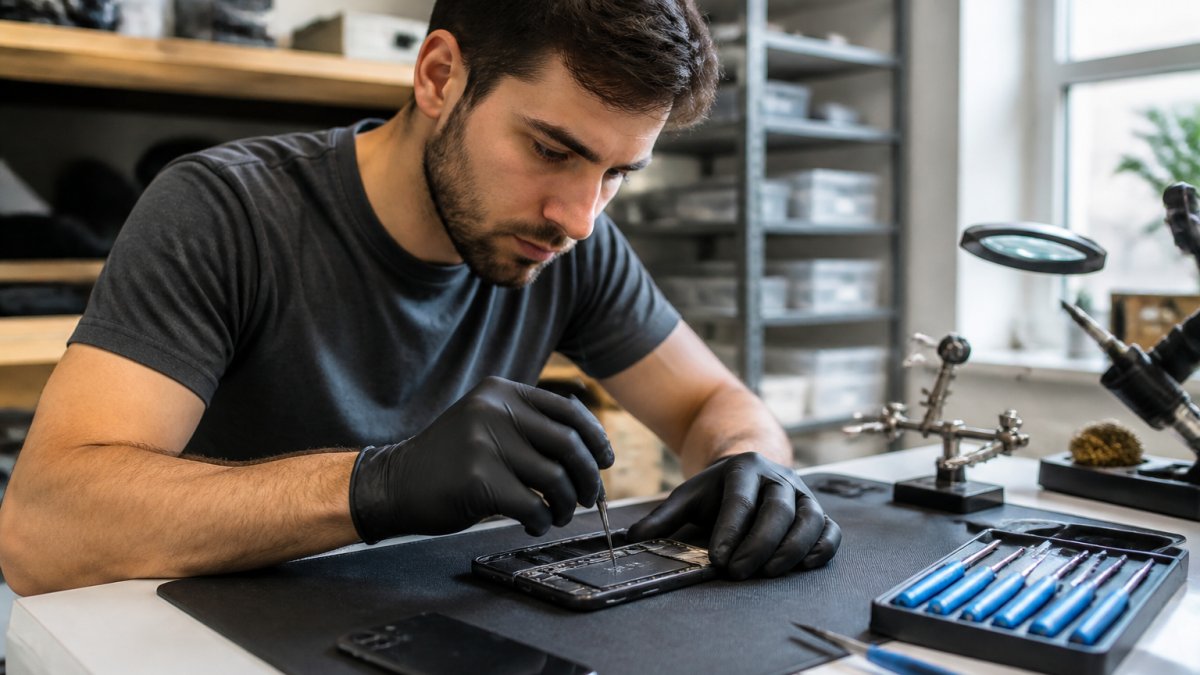
PHONEPROBS specializes in water damage recovery and can assess your device quickly to determine the best repair path. Our team uses professional-grade equipment to dry internal components, clean corrosion, and test the logic board, capabilities far beyond DIY methods. We provide quotes and explain your options before you commit to any work.
Data Recovery and Logic Board Repair Options
If your phone won't power on or is beyond simple repair, data recovery may be possible. Professional services can extract storage components and recover your photos, contacts, messages, and other data even if the phone itself is unrepairable. Logic board repair involves identifying the specific component that failed due to corrosion and either replacing that component or the entire board. Professional repair services typically offer a warranty on their work, usually 30-90 days.
Insurance, Warranty Claims, and Waterproof Phone Pouch Protection
Understanding your coverage options and taking steps to prevent future water damage are critical parts of protecting your investment.
Filing Claims and Understanding Coverage Limits
Most phone manufacturer warranties do not cover water damage. However, some carriers and insurance providers offer accidental damage protection plans that do cover water damage. Check your phone's warranty documentation or contact your carrier to determine coverage. If you have accidental damage protection, file a claim as soon as possible. Most policies require claims within a specific timeframe (typically 30 days).
Be prepared to provide proof of the incident and documentation of damage. Take photos of water damage, corrosion, and any error messages. Insurance claims typically involve a deductible, an out-of-pocket amount you pay before insurance covers the rest. Deductibles range from $50-$200 for water damage claims.
Preventing Future Damage with Proper Storage Solutions
The best protection against water damage is prevention. A waterproof phone pouch is one of the most effective and affordable ways to protect your device. Quality waterproof pouches seal completely and are rated for specific water immersion depths. Look for pouches rated at least IPX8 and designed for your phone's size. These pouches cost $10-$30 and can save hundreds in repair costs.
Use a waterproof pouch when swimming, boating, or visiting the beach. Keep one in your car for unexpected rain. Consider a protective case with good water resistance for daily use. Keep your phone away from humidity and never leave it near water sources like sinks, bathtubs, or pools.
Water damage doesn't have to mean the end of your phone. By acting quickly, following proper drying procedures, and seeking professional help when necessary, you can recover most devices from liquid exposure. The key is avoiding common mistakes that turn minor water exposure into permanent hardware failure.
If you're dealing with a water-damaged phone right now or want professional guidance on whether your device is salvageable, PHONEPROBS can help. Our team specializes in water damage recovery, offers quick diagnostic assessments, and provides repair solutions tailored to your specific situation. PHONEPROBS water damage repair services can get your device working again or recover your data if repair isn't possible. BOOK YOUR REPAIR with PHONEPROBS today and get your phone back in working condition.
Frequently Asked Questions
What should I do immediately if my phone gets water damaged?
Power down your device immediately to prevent short circuits. Remove the SIM card tray, case, and any accessories. Gently towel dry the exterior without forcing moisture deeper into ports. Avoid powering on or charging until the device has been properly dried using silica gel or desiccant materials. If your phone was submerged, the first 30 minutes are critical, immediate action can prevent permanent logic board damage.
Does putting a water damaged phone in rice actually work?
No, the rice myth is largely ineffective for modern smartphones. Rice absorbs some moisture but draws it inward toward sensitive components rather than away from them. Rice particles can also lodge in ports and cause contamination. Silica gel, desiccant packs, or uncooked instant oats are far superior alternatives. These absorbent materials pull moisture away from internal components more effectively and won't leave debris behind.
What are the signs of water damage in a phone that indicate professional repair is needed?
Look for visible corrosion on the logic board, persistent condensation under the screen, unresponsive touch input, or charging port malfunction. If your phone won't power on after proper drying, or if it powers on but shows battery drain, display issues, or speaker distortion, professional repair services can assess internal damage. Data recovery specialists can also retrieve files if the device fails completely due to liquid damage.
Can I use a hairdryer to dry my water damaged phone?
No, hairdryers generate heat that can cause thermal damage, push moisture deeper into the device, and harm internal components. Avoid all heat sources, including ovens and sunlight. Instead, use passive air circulation in a cool, dry room or place the phone in a sealed container with silica gel for 24-48 hours. This slow, cool drying method prevents oxidization and short circuits far better than active heating.
This article was written using GrandRanker

Comments