

Local Computer Repair for Small Business: A 2026 Guide

Table of Contents
Why Local Computer Repair Matters for Small Business Operations
On-Site vs. Remote IT Support: Which Works Best for Your Team
Common Hardware Issues Small Businesses Face Laptop and Workstation Repair Network and Data Cabling Services Cybersecurity and Malware Removal
Laptop and Workstation Repair
Network and Data Cabling Services
Cybersecurity and Malware Removal
Understanding On-Site Computer Repair Cost and What Affects Pricing
Managed IT Services for Small Business: When to Make the Switch Preventative Maintenance and System Optimization Data Backup and Disaster Recovery Planning
Preventative Maintenance and System Optimization
Data Backup and Disaster Recovery Planning
How to Choose an IT Support Provider That Fits Your Business
Emergency Repair Services and Business Continuity
Conclusion
Last Updated: August 16, 2026
Why Local Computer Repair Matters for Small Business Operations
When your business depends on technology, downtime is a revenue killer. A single laptop failure can halt deadlines, disrupt communications, and derail workflow. Local computer repair for small business becomes essential rather than optional.
Small business owners juggle multiple roles while keeping systems running. When something breaks, you need fast, reliable solutions. A local provider who understands your business delivers same-day diagnostics, transparent communication, and technicians who show up when promised.
At PHONEPROBS, we've worked with small business owners who initially tried managing IT issues themselves or relied on big-box retailers. The pattern is consistent: they waste time, money, and productivity solving problems that require specialized expertise. Local computer repair cuts through that frustration. You get a partner who knows your systems, responds quickly, and keeps you operational.
The real value isn't just fixing what's broken, it's preventing problems before they cost you. Regular maintenance, proper backups, and preventative monitoring catch issues early, saving thousands in emergency repairs and data recovery.
On-Site vs. Remote IT Support: Which Works Best for Your Team
The choice between on-site and remote support shapes how your business handles technical problems.
Remote IT support accesses your system remotely to diagnose and fix issues without visiting your location. It's fast for software problems, updates, and configuration issues. You avoid scheduling delays and get immediate assistance for problems that don't require physical hardware access.
However, remote support has limits. If your laptop won't power on, your printer isn't connecting, or you need hardware diagnostics, remote access doesn't help. A technician can't physically inspect components or replace hardware remotely. Remote support also raises security concerns, requiring external access to your systems.
On-site computer repair for small business means a technician visits your location. They can physically examine hardware, test equipment, run diagnostics on your actual setup, and perform repairs immediately. For network issues, cabling problems, or hardware failures, on-site service is essential. You also get face-to-face communication and the technician understanding your specific environment.
The trade-off is scheduling. On-site visits take longer to arrange, and you're dependent on provider availability.
The hybrid approach works best for most small businesses. Use remote support for software issues, updates, and quick troubleshooting. Reserve on-site visits for hardware problems, network setup, and complex infrastructure work. A provider like PHONEPROBS that offers both options gives you flexibility, you pay for what you actually need.
Common Hardware Issues Small Businesses Face
Small business hardware fails in predictable patterns. Understanding these issues helps you recognize problems early.
Laptop and Workstation Repair
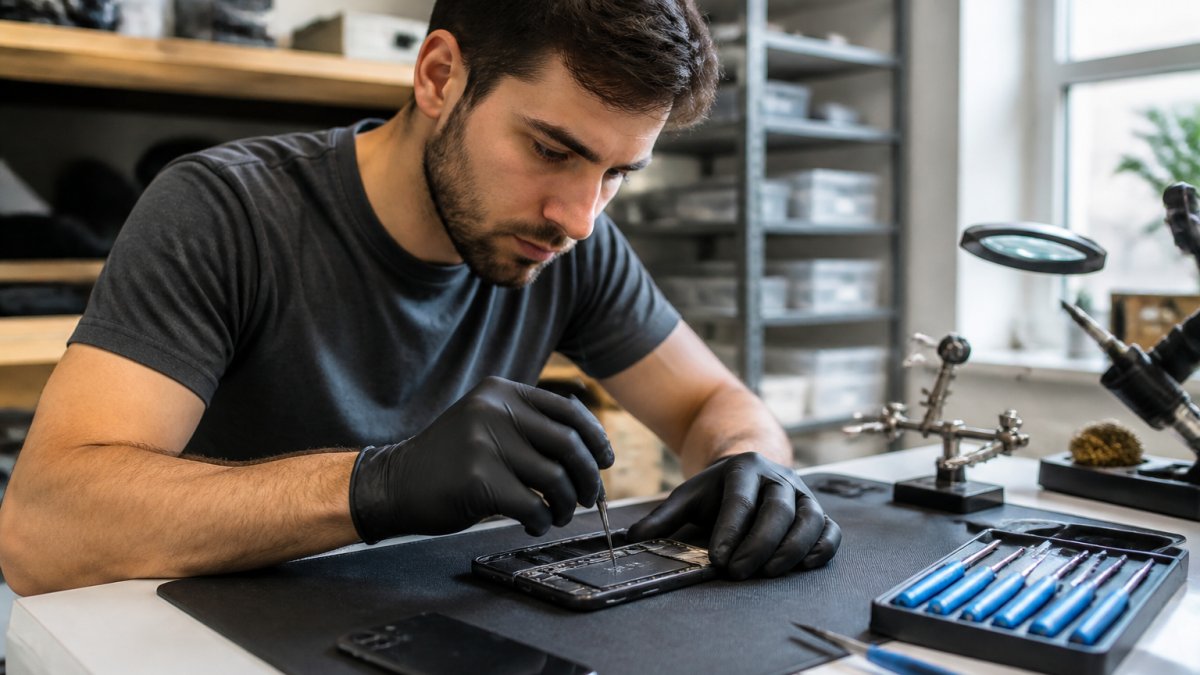
Laptops take abuse through travel, drops, and dust accumulation. The most common failures are hard drive problems, overheating, and screen damage.
Hard drive failure usually announces itself through slowness before complete failure. Your laptop takes minutes to boot, applications freeze, and file access crawls. A technician can run diagnostics, recover your data if needed, and replace the drive with a solid-state drive (SSD) that's faster and more reliable.
Overheating happens when dust clogs cooling fans. The system throttles performance to prevent damage. Cleaning internal fans and replacing thermal paste solves this in about an hour, costing far less than replacing a laptop.
Screen damage ranges from cracked displays to dead pixels. Both require screen replacement. For business laptops, this repair is often more cost-effective than buying new hardware.

Network and Data Cabling Services
Your network is only as reliable as the infrastructure connecting it. Poor cabling causes intermittent connectivity, slow data transfer, and frustrating dropouts.
Ethernet cabling deteriorates over time. Bent cables, damaged connectors, and poor installation create connection problems. A technician can test your cabling, identify problem areas, and replace damaged sections. Proper installation ensures cables aren't pinched, run near power lines, or twisted sharply.
WiFi problems often stem from poor router placement or interference. A technician can survey your space, identify dead zones, and recommend better positioning or additional access points.
Cybersecurity and Malware Removal
Malware and unwanted software silently degrade performance and put your data at risk. Malware enters through email attachments, compromised websites, or software downloads. Removing it requires more than basic antivirus software, a technician must identify what's installed, remove it completely, and ensure it doesn't reinstall.
Ransomware is the most serious threat, encrypting your files and demanding payment. Prevention is critical through proper backups, security patches, and user training. Regular security updates close vulnerabilities that malware exploits.
Understanding On-Site Computer Repair Cost and What Affects Pricing
Pricing for local computer repair for small business varies based on several factors.
The primary factor is what's being fixed. A software issue takes 30 minutes; a hard drive replacement takes an hour; a network cabling project takes a full day. Labor time is the largest cost component.
Parts cost varies dramatically. A replacement SSD costs significantly less than a new laptop. Screen replacement depends on the laptop model. Some parts are readily available; others require ordering.
Diagnostic fees sometimes apply if the problem isn't obvious. Some providers bundle diagnostics into repair cost; others charge separately.
Service level affects pricing. Same-day service costs more than scheduling for next week. Emergency after-hours repairs carry premium pricing.
Ask providers about their pricing structure upfront. Do they charge hourly, flat-rate, or per-job? Are diagnostics included? What's their minimum service charge?
PHONEPROBS provides transparent quotes before starting work, eliminating uncertainty and letting you budget accurately.
Managed IT Services for Small Business: When to Make the Switch
As your business grows, reactive repair becomes expensive and disruptive. Managed IT services flip the model, instead of fixing problems after they occur, you prevent them through proactive monitoring and maintenance.
What managed IT services include typically encompasses remote monitoring of your systems, automatic security updates, regular backups, network management, and help desk support. Your systems are monitored 24/7 for issues, often fixed automatically before you notice them.
The shift from reactive to proactive makes sense when downtime costs exceed the service fee. Managed IT services also provide predictability, you pay a fixed monthly fee and can budget accurately.
Preventative Maintenance and System Optimization
Preventative maintenance catches problems before they become failures. Regular tasks include cleaning cooling systems, checking hardware health, testing backups, and updating security software.
System optimization removes unnecessary files, disables startup programs that slow boot time, and configures settings for performance. Hard drive health monitoring watches for early warning signs of failure, allowing replacement before failure occurs.
Software patching is critical. Operating system updates and application patches close security vulnerabilities. Automated patching ensures you're always current without manual effort.
Data Backup and Disaster Recovery Planning
Backups are insurance against data loss. Effective backup strategy includes multiple copies, local backups for fast recovery and cloud backups for protection against physical disasters. Regular testing ensures backups actually work.
Disaster recovery planning addresses how you'll operate if main systems fail. Can you work from alternate locations? Do you have backup hardware available? How quickly can critical systems be restored?
Recovery time objective (RTO) and recovery point objective (RPO) define your recovery strategy. RTO is how quickly systems must be restored; RPO is how much data loss you can tolerate.
How to Choose an IT Support Provider That Fits Your Business
Selecting the right local computer repair for small business provider is critical. You're trusting them with your systems, data, and business continuity.
Evaluate their experience with small business. A provider experienced with small business understands your constraints and priorities. Ask about their typical client size and industry experience.
Check their response time commitment. How quickly do they respond to urgent issues? Do they offer same-day service? Response time directly impacts your downtime.
Verify they have parts in stock. Ordering parts delays repairs. A provider with common parts available can complete most repairs immediately.
Understand their communication style. Do they explain technical issues in terms you understand? Can you reach them easily with questions?
Ask about their security practices. How do they handle data security when accessing your systems? Do they use encrypted connections? What certifications do they follow?
Get references from similar businesses. Talk to other small business owners about their experience with reliability, pricing fairness, and emergency handling.
Review their warranty and guarantees. What warranty covers their repairs? If a fixed component fails within 30 days, do they warranty the repair?
Understand pricing structure. Are repairs charged hourly, flat-rate, or by the job? Are diagnostics included? Is there a minimum service charge?
PHONEPROBS offers professional IT support focused on small business needs. Quick repair quotes, same-day service availability, and transparent pricing make planning straightforward. When you call with a problem, you're talking to technicians who understand your situation.

Emergency Repair Services and Business Continuity
When systems fail unexpectedly, you need immediate help. Emergency repair services prioritize your problem and get you back online fast.
The difference between standard and emergency service is availability. Standard service works during business hours with scheduled appointments. Emergency service responds immediately, even outside normal hours.
Business continuity planning identifies which systems are critical. Not everything needs emergency response, your backup printer can wait until tomorrow. Your main server or primary workstation needs immediate attention.
Many businesses benefit from a hybrid approach. Maintain standard service for routine support and diagnostics. Reserve emergency service for critical failures that disrupt operations.
Documentation of your systems helps emergency response. If a technician knows your setup, hardware configuration, software installed, and backup locations, they can work faster.
Small business technology problems won't wait for convenient timing. When your systems fail, you need reliable local computer repair for small business that understands your operation and responds quickly. PHONEPROBS specializes in exactly this, rapid diagnostics, transparent communication, and repairs that get you back to work. With same-day service availability, parts in stock, and technicians who focus on small business needs, you get the professional support your business depends on. Book your repair today and stop losing productivity to technology problems.
Frequently Asked Questions
What should I look for in a local IT support company for my small business?
Look for providers with experience serving businesses your size, clear response times for emergencies, and transparent communication about costs. Ask about their service level agreements (SLAs) that guarantee uptime and support availability. Check if they offer both on-site and remote support options, and verify they handle the specific issues you face, whether that's hardware repair, network cabling, cybersecurity, or data backup. Ask for references from other local businesses and confirm they have parts in stock to avoid long wait times.
How much does small business computer repair typically cost?
Costs depend on the type of repair, parts needed, and whether you need on-site or remote support. Hardware diagnostics and minor software fixes cost less than replacing components or recovering data from water-damaged devices. Many providers offer flat rates for common repairs or hourly rates for troubleshooting. Get a quote before work begins, and ask if emergency repairs carry additional fees. Managed IT services often cost less over time than paying per repair, especially if you need regular maintenance.
Should I hire an in-house IT person or use local computer repair services?
For most small businesses, local repair and managed IT services are more cost-effective than a full-time employee. An in-house technician works best if you have 50+ employees and complex infrastructure. For smaller teams, outsourcing lets you access specialists without salary, benefits, and training costs. Local providers offer flexibility, you pay for what you need, whether that's emergency repairs, preventative maintenance, or strategic infrastructure setup. Consider a hybrid approach: local support for day-to-day issues and occasional consulting for major decisions.
How do I protect my business data before sending computers in for repair?
Back up all sensitive files to an external drive or secure cloud storage before dropping off equipment. Remove any portable storage devices and document what's on your computer for the technician. Ask the repair provider about their data security practices and confidentiality agreements. Request that they work on a separate network isolated from other devices. Ask for confirmation that your data was not accessed during repair, and consider encrypting sensitive files beforehand if your business handles financial or customer information.
BOOK YOUR REPAIR
This article was written using GrandRanker

Comments