

Recover Data From Water Damaged Phone: A Step-by-Step Guide

Table of Contents
Immediate Steps After Water Exposure
How to Dry Out a Wet Phone Safely
Assessing the Extent of Water Damage to Your Device
Does Rice Actually Fix Water Damaged Phones
Cloud Backup and Data Recovery Methods
When to Seek Professional Phone Data Recovery Services
Preventing Future Water Damage and Data Loss
Frequently Asked Questions
Last Updated: September 30, 2026
Immediate Steps After Water Exposure
Your phone just got wet. The first few minutes matter most, act immediately to prevent short circuits and corrosion, as quick action is essential for water damaged phone data recovery.
Power off your phone immediately without testing it. This stops short circuits from frying internal components.
Remove the SIM card and any removable battery if your device has one. Dry these parts separately with a soft cloth. These can survive water damage better than the main board.
Gently pat your phone dry with a lint-free cloth. Don't shake it or squeeze it. Water can move deeper into the device if you apply pressure. Set it down on a clean, dry surface.
Action | Timing | Why It Matters |
Power off device | Immediately | Prevents short circuits |
Remove SIM card | Within 1 minute | Saves your contact data |
Pat dry gently | Within 2 minutes | Stops water migration |
Stop using phone | Until fully dry | Prevents internal damage |
Watch Out Do NOT use a hair dryer or heat source. Heat can damage the screen and battery. It also pushes moisture deeper into the device instead of letting it evaporate naturally.
How to Dry Out a Wet Phone Safely
Find a warm, dry location with good air circulation (a room with a fan works well). Avoid direct sunlight.

Use isopropyl alcohol (90% or higher) to displace water from tight spaces. Dip a cotton swab in it and clean around the charging port, speaker grills, and seams. The alcohol evaporates faster than water and is one of the most effective drying techniques professionals use.
Let your phone air dry for at least 48 hours. Place it in a warm room with low humidity. A closet or cabinet with a small fan works well. Don't seal it in a plastic bag, your phone needs air circulation.
After 48 hours, try powering it on briefly. If it powers up, great. If not, give it another 24 hours and try again. Some devices take longer to fully dry.
Pro Tip Isopropyl alcohol (90% or higher concentration) is your best friend here. It's used by professional repair technicians because it evaporates quickly and doesn't leave residue. Most pharmacies carry it for under $5.
Assessing the Extent of Water Damage to Your Device
Water damage severity depends on the type: saltwater corrodes faster than freshwater, and submersion is worse than a splash. Understanding what happened determines your recovery window.
I Micro Board Repairs - Phone Data Recovery
Saltwater vs. Freshwater: Why the Type Matters
Saltwater damage is a time-critical emergency. Salt accelerates oxidization on circuit boards, corroding metal traces and solder joints within hours. If your phone was exposed to ocean water, pool water with chlorine, or mineral-rich water, you have under 24 hours before corrosion becomes irreversible.
Freshwater damage is slower. Tap water, rain, or lake water gives you 48-72 hours before internal damage becomes permanent, which is why drying protocols work better for freshwater.
Checking the Liquid Contact Indicator
Most devices have a liquid contact indicator (white or red sticker) near the charging port, SIM card slot, or battery compartment. If it's turned red, pink, or dark, your phone has been exposed to water. Some newer phones hide the indicator; assume water has entered if the phone was submerged or heavily splashed.
Identifying Corrosion on Internal Components
Look for visible corrosion signs: white, green, or blue crusty deposits on the logic board or contacts (oxidized metal); black or brown discoloration around solder joints (deeper corrosion); or a swollen or leaking battery (safety risk).
Visible corrosion signals that professional recovery is necessary. Each day of delay allows corrosion to spread and destroy more data pathways.
Testing What Still Works
If your phone powers on, test the screen, speaker, charging port, home screen access, and buttons. A device that won't power on but has no visible corrosion may be repairable. A device with visible corrosion but partial functionality may be salvageable for data extraction.
Saltwater Damage: Immediate Action Required
If saltwater exposure occurred: (1) Do not attempt home drying, salt crystals act as conductive bridges that short-circuit components. (2) Rinse with distilled water immediately if caught within minutes. (3) Seek professional assessment within 12 hours. (4) Do not power on the device, as this can destroy data on the storage chip.
Key Takeaway Saltwater damage requires professional intervention within 12-24 hours. Freshwater damage gives you 48-72 hours. Visible corrosion on internal components means the window for successful recovery is closing. Act based on the type of water exposure, not just the fact that exposure occurred.
Does Rice Actually Fix Water Damaged Phones
Rice doesn't work for water-damaged phones. Water is trapped in sealed compartments rice can't reach, and rice dust can damage ports and screens. Professional technicians use controlled drying, isopropyl alcohol, and specialized equipment. Air drying in a warm room with good circulation is more effective and costs nothing.
Watch Out Never use instant rice or cooked rice. Starch particles will stick to your phone and cause additional damage. If you must use an absorbent material, use silica gel packets from new electronics or vitamins.
Cloud Backup and Data Recovery Methods
Check if your data is already safe. iPhone users: sign into iCloud.com to verify photos, contacts, and app data are backed up. Android users: check Google Drive and Google Photos. If your phone powers on, enable backup immediately: iPhone (Settings > [Your Name] > iCloud) or Android (Settings > Google). This ensures unsaved data is protected before the device fails.
If your cloud backups are empty and your phone won't turn on, professional recovery may be an option.
When to Seek Professional Phone Data Recovery Services
When Professional Recovery Is Necessary
Call a professional if your phone won't power on after 72 hours of drying, if you see visible corrosion on internal components, or if saltwater exposure occurred (within 12-24 hours).
Understanding Chip-Off Data Recovery
The Encryption Problem on Modern Devices
Here's the critical limitation most articles don't mention: modern iPhones and Android phones use file-based encryption that makes chip-off recovery ineffective for accessing user data.
When Cloud Backup Is Your Only Option
If your phone is encrypted and won't power on, your best recovery path is cloud backup:
iPhone: If you enabled iCloud backup, sign into iCloud.com from another device and restore your data to a new phone.
Android: If you enabled Google backup, sign into your Google account on a new device and restore your data.
If you didn't enable cloud backup and your phone won't power on, professional data recovery may not be able to access your encrypted files. This is why cloud backup is critical for modern devices.
Cost Expectations and Success Rates
Professional data recovery for water-damaged phones can vary in cost depending on the extent of damage and the recovery method required. Technicians can clean corrosion, replace damaged components, and attempt to restore functionality. Success rates are highest if the device powers on after repair.
Most professional recovery services offer free diagnostics. A technician can examine your device, assess the damage, and give you a realistic success rate before you commit to the full recovery cost.
Success rates for data recovery vary depending on the device and the extent of the damage.
DIY vs. Professional: The Risk Assessment
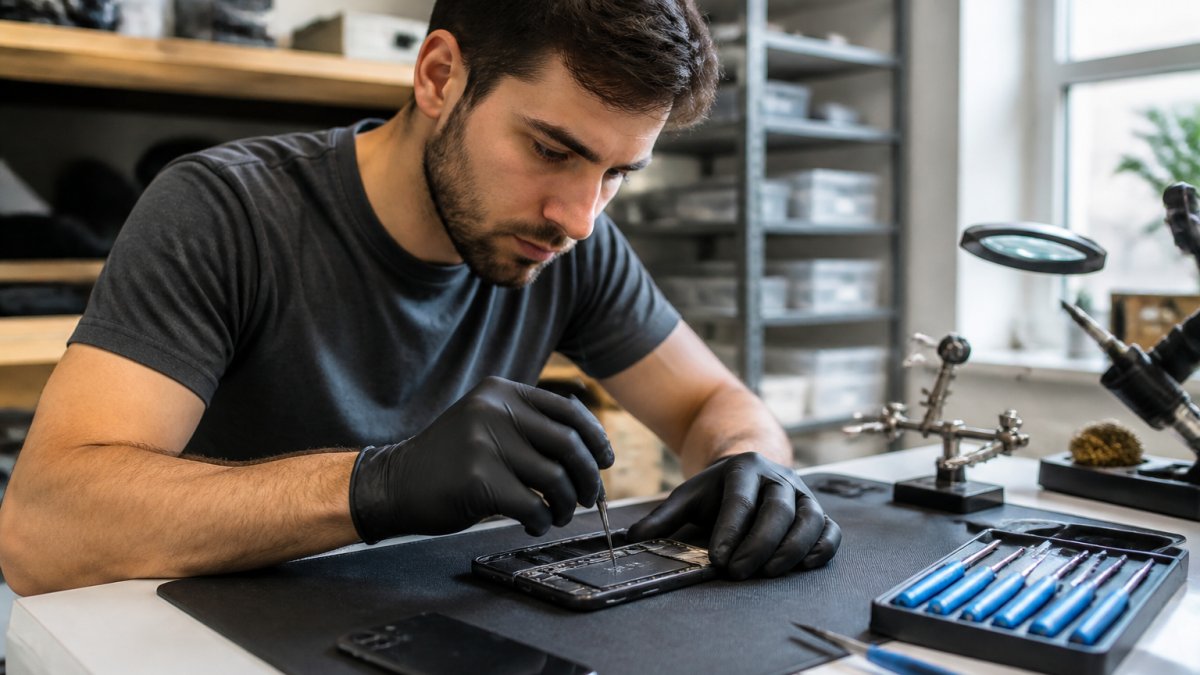
Attempting DIY data recovery on a water-damaged phone risks permanently destroying the device and making professional recovery impossible. If you open the device and accidentally damage internal components, the data may become unrecoverable even by professionals.
If your phone is under warranty or you have insurance, contact your carrier or insurance provider first. They may offer replacement or repair at a lower cost than professional data recovery.
Pro Tip Stop by today for a professional quote before deciding to replace your phone. Many water-damaged devices are repairable if you act quickly. Our team is dedicated to resolving your technical problems quickly and effectively.
Preventing Future Water Damage and Data Loss
The best recovery is prevention. These steps reduce the risk of losing your phone to water damage.
Use a waterproof case for your phone.
Frequently Asked Questions
Can a phone ever fully recover from water damage?
Recovery depends on how long the phone was submerged and what type of liquid caused the damage. Freshwater exposure is less damaging than saltwater because salt accelerates corrosion and oxidization of the circuit board. If you act quickly and dry the device properly within the first few hours, many phones can recover and function normally. However, internal corrosion may develop over weeks or months even if the phone initially works. Professional diagnostic testing can reveal hidden damage that isn't immediately visible.
How can I recover data from a water damaged phone that won't turn on?
If your phone won't power on after water exposure, do not attempt repeated power cycles, as this can cause short circuits and permanent data loss. Instead, allow the device to dry completely for 48-72 hours in a warm, dry environment. Once dry, try powering it on briefly. If it still won't boot, your data may still be recoverable through professional data recovery services.
Is it safe to charge a phone after it has been in water?
No, never charge a water-damaged phone immediately. Charging introduces electrical current to wet circuitry, which causes short circuits and can permanently destroy the logic board and internal components. Wait until the device has dried completely (48-72 hours minimum) and shows no signs of moisture. Even then, test it carefully with brief power-on attempts before charging. If you see any corrosion, liquid contact indicator discoloration, or hear unusual sounds, do not charge it and seek professional help instead.
What's the difference between saltwater and freshwater damage recovery?
Saltwater damage is significantly more serious because salt accelerates corrosion and oxidization on circuit boards, logic boards, and individual chips. Even after drying, saltwater residue continues to damage components chemically. Freshwater damage is less aggressive but still requires prompt drying and careful assessment. Both types benefit from professional cleaning using isopropyl alcohol, but saltwater-damaged devices have a lower recovery success rate and higher risk of delayed hardware failure. If your phone was submerged in saltwater, professional data recovery is strongly recommended.
Water damage doesn't mean losing your phone or your data. Act quickly, dry carefully, and know when to call for help. If your device won't recover, PHONEPROBS provides professional data recovery and device repair services. Contact us for a professional diagnostic and let our team assess your water-damaged device. We can often recover your data and restore your phone to working condition. Book your repair today.
BOOK YOUR REPAIR

Comments