

Remove Moisture From Phone Charging Port

Table of Contents
Immediate Steps When Moisture Is Detected
How to Dry Your Phone Charging Port Without Rice
Understanding Moisture Detected in Charging Port Warnings
How Long to Wait After Your Phone Gets Wet
Ventilation and Airflow Techniques That Work
Phone Charging Port Repair Cost and When to Seek Help
What to Avoid When Removing Moisture
Frequently Asked Questions
Last Updated: September 26, 2026
Immediate Steps When Moisture Is Detected
When your phone flashes a "moisture detected" warning and you need to remove moisture charging port safely, act fast. This alert means water or humidity has reached your charging port's electrical contacts. The longer you wait, the higher the risk of corrosion and permanent damage.
Here's what to do right now:
Stop charging immediately. Remove the cable and power adapter.
Power off your device completely. This prevents short circuits.
Place your phone in a dry location, away from direct heat sources.
Do not attempt to charge it again until moisture is fully removed.
The first 30 minutes are critical. Your device's moisture sensor detected liquid before major damage occurred. That's the good news. The bad news: corrosion starts within hours if you ignore the warning.
Watch Out Continuing to charge a wet phone can cause internal component failure and data loss. The electrical contacts inside the port will corrode rapidly if exposed to moisture while powered on.
How to Dry Your Phone Charging Port Without Rice
Forget the rice myth. Rice doesn't work for charging ports because it can't reach the internal moisture where it matters. Instead, use gravity and airflow.
Here's the proven method:
Step 1: Position for gravity (5 minutes) Hold your phone with the charging port facing downward. Gravity pulls moisture away from the internal contacts. Keep it in this position for at least five minutes.
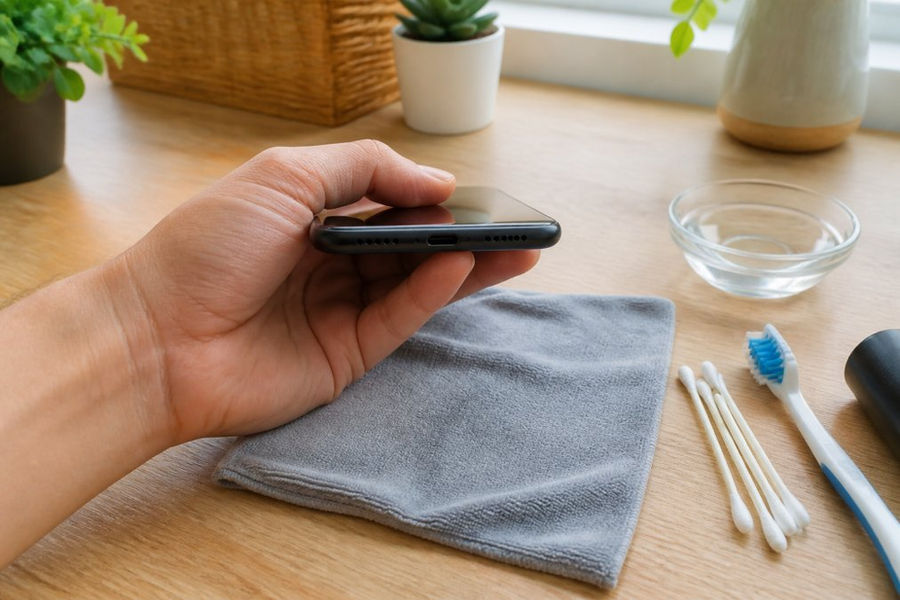
Step 2: Use compressed air carefully (3-5 minutes) If you have compressed air, hold the can upright and use short bursts from 6 inches away. Angle the nozzle slightly downward into the port. Do not hold the trigger continuously. Short bursts prevent liquid from being forced deeper into the device.
Step 3: Allow air circulation (24 hours) Place your phone in a well-ventilated area. A room with good airflow is ideal. Open windows help. Avoid sealed plastic bags or enclosed spaces where humidity can concentrate.
Step 4: Test the port safely before charging (after 24 hours) After a full day of drying, inspect the port visually using a flashlight. Look for any visible moisture droplets, condensation, or discoloration inside the port opening. If the port appears completely dry and clear, you can proceed to a test charge. Insert the charging cable for just 30 seconds. If no new moisture warning appears, you're likely safe. If the warning returns, wait another 12 hours and repeat the inspection and test. Do not leave the cable connected if the warning reappears, disconnect immediately.
Wireless charging as a safe interim option If your phone supports wireless charging, use it while the port dries. Wireless charging bypasses the wet charging port entirely and poses no electrical risk. This lets you maintain battery charge without exposing the port to electrical current. Once the port is completely dry and passes the visual inspection and 30-second test, you can safely return to wired charging.
Pro Tip A fan pointed at your phone (not directly on it) speeds evaporation. The moving air carries moisture away from the device. Position the fan 2-3 feet away and let it run for several hours.
This process works because it helps you remove moisture charging port without pushing it deeper into internal components. The key is patience and verification. Most people rush this step or skip the visual inspection, leading to premature charging attempts that trigger the warning again and extend drying time.
Understanding Moisture Detected in Charging Port Warnings
Your phone's moisture sensor is a safety feature. It detects humidity levels inside the charging port and triggers an alert when levels exceed safe thresholds. This warning means water or moisture has physically reached the port's electrical contacts.
Fixed by Chaq
Here's what's actually happening inside:
When moisture enters the charging port, it disrupts the electrical pathway between your cable and the device's charging circuit. The moisture sensor detects this disruption and blocks power transfer to prevent short circuits. This is your device protecting itself.
The warning does not mean your phone is ruined. It means moisture is present and charging is unsafe right now. Remove the moisture, and the warning should clear.
The corrosion mechanism: why you can't just "wait it out"
If you ignore the warning and keep charging, several things happen in sequence:
Electrical current flows through the moisture, creating a short circuit
Internal components overheat and fail
Corrosion begins on the metal contacts inside the port through oxidation, a chemical process where oxygen and moisture react with the copper and gold plating on the contacts
Once oxidation starts, even removing the moisture won't fully restore the corroded surface
The corroded layer prevents proper electrical contact, causing charging to fail or become intermittent
This is why drying alone isn't always enough if you've already charged a wet phone. The corrosion process is irreversible once it begins. This is also why the first 30 minutes after detecting moisture are critical, the longer moisture sits on those metal contacts, the faster oxidation progresses.
Water resistance ratings and what they actually mean
Not all phones handle moisture the same way. Understanding your device's water resistance rating helps you assess your risk:
IP68-rated phones (most flagship models from the past 5 years): These are rated for submersion up to 6 meters for 30 minutes. The charging port has additional sealing and gaskets. If your IP68 phone shows a moisture warning, the sensor detected water that bypassed the seals, take it seriously, but you have slightly more time before corrosion becomes critical.
IP67-rated phones: Rated for submersion up to 1 meter for 30 minutes. The charging port has basic sealing but is more vulnerable than IP68 models.
Older phones or non-rated devices: These have minimal or no port sealing. Moisture reaches the contacts faster, and corrosion begins within hours. Do not delay drying.
Even IP68-rated phones are not waterproof indefinitely.
Key Takeaway Corrosion is permanent. Drying removes moisture, but it cannot undo oxidation damage to the metal contacts. This is why preventing charging while wet is non-negotiable, it's the difference between a recoverable situation and permanent port failure.
How Long to Wait After Your Phone Gets Wet
The answer depends on how wet your phone actually got. There's a big difference between light moisture and full submersion.
Key Takeaway Never charge your phone before the full waiting period is complete. Premature charging attempts reset the drying process and can cause permanent damage to the charging circuit.
Ventilation and Airflow Techniques That Work
Here are the techniques that actually work:
Fan method: Position a desk fan 2-3 feet from your phone. Run it for 4-6 hours. The moving air carries moisture away from the device. This is the fastest passive drying method.
Avoid these ventilation mistakes:
Do not use a hair dryer. Heat can damage internal components and push moisture deeper.
Do not seal your phone in a plastic bag. This traps humidity and makes things worse.
Do not place it in direct sunlight. Intense heat can warp internal components.
Do not point a fan directly at the port opening. This can force moisture inside.
Phone Charging Port Repair Cost and When to Seek Help
Repair costs vary based on damage severity:
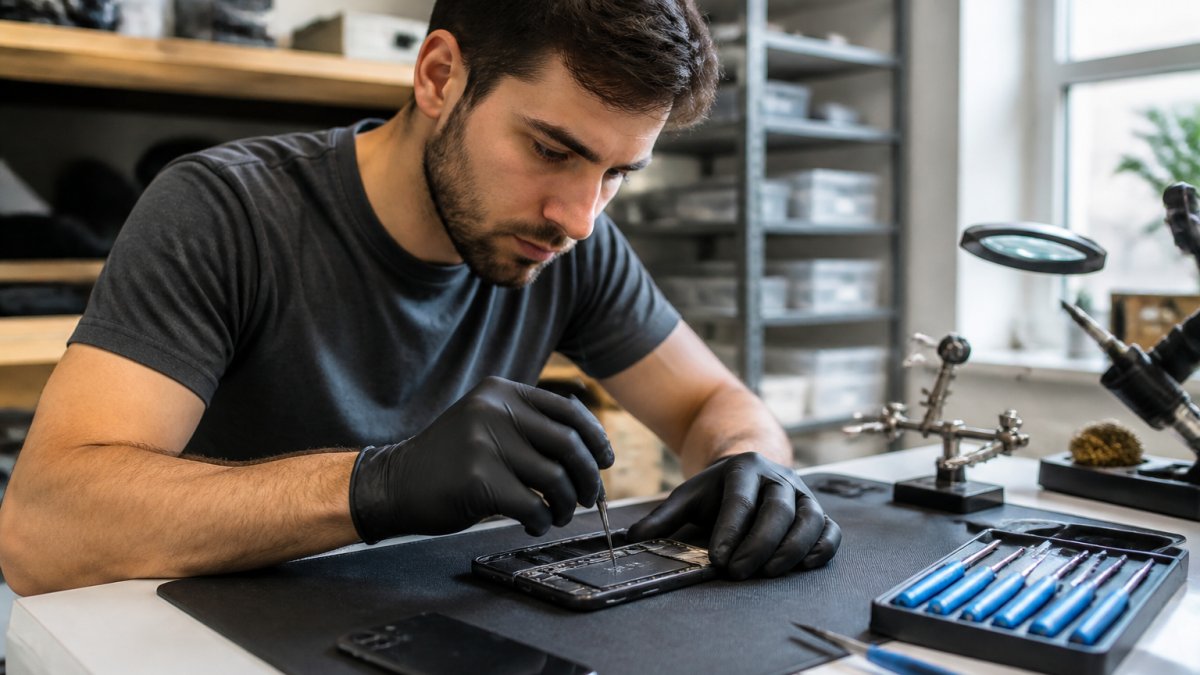
Charging port replacement: This is the most common repair. The technician removes the old port and installs a new one. Most phones can be repaired this way if corrosion hasn't spread to the circuit board.
When to seek professional help:
After 72 hours of drying, the moisture warning persists
Your phone won't charge at all, even after complete drying
You see visible corrosion or discoloration inside the port
The device was submerged in salt water (corrosion happens faster)
You dropped it in liquid other than fresh water
What to Avoid When Removing Moisture
Never use heat directly on the device. Hair dryers, ovens, and heating pads push moisture into internal components. Heat also damages solder joints and battery connections.
Frequently Asked Questions
What is the fastest way to remove moisture from a charging port?
The fastest method combines three steps: power off immediately, use compressed air in short bursts from a distance to dislodge water, then place your phone in a well-ventilated area for 24-48 hours. Avoid heat sources and sealed containers. If your phone shows a moisture detected alert, don't attempt to charge it until completely dry. For urgent situations, professional repair services can assess internal damage faster than waiting.
How long does it take for moisture to get out of a charging port?
Moisture typically evaporates within 24-48 hours in a well-ventilated, dry environment. However, internal moisture and corrosion may take longer to fully resolve. The exact timeline depends on how much water entered, your phone's design, and humidity levels in your location. Don't rush the process by applying heat, as this can damage internal components. If your phone still shows a moisture detected warning after 48 hours, contact a repair professional to check for internal corrosion or short circuits.
Can I use a hair dryer to dry my phone charging port?
A hair dryer is not recommended for phone charging ports. High heat can damage the port's internal contacts, degrade adhesives, and push moisture deeper into the device. If you must use a heat source, keep it on the lowest setting, maintain at least 12 inches distance, and use it for no more than 30 seconds. Compressed air or passive air circulation is far safer. For devices with water damage, professional repair services can safely assess and dry your phone without risking additional harm.
Why does my phone keep saying it has moisture in the charging port?
Your phone's moisture sensor triggers this warning when it detects liquid in the charging port or nearby internal components. The alert persists because the sensor remains activated until the area is completely dry and corrosion hasn't damaged the sensor itself. If the warning continues after 48 hours of proper drying, you may have internal moisture, corrosion on electrical contacts, or a faulty sensor. This is when professional repair becomes necessary to prevent short circuits and permanent damage to your device.
When moisture gets into your phone's charging port, the clock starts. You have a narrow window to dry it properly before corrosion causes permanent damage. If drying at home doesn't clear the warning after three days, bring your phone to PHONEPROBS for a professional assessment. Our team can determine whether your port needs replacement or if the damage extends deeper. Book your repair today and get your device working again safely.
BOOK YOUR REPAIR

Comments