

Samsung Galaxy Screen Repair: Authorized Service Guide

Table of Contents
Why Choose Authorized Samsung Screen Repair
Samsung Screen Repair Cost and Pricing Breakdown
Factory-Authorized vs. Third-Party Pricing
Insurance and Credit Card Coverage Options
How Long Does Samsung Screen Repair Take
Walk-In Service vs. Mail-In Repair Timelines
DIY vs. Professional Phone Repair: What You Need to Know
Risks of DIY Screen Replacement
Why Authorized Technicians Protect Your Device
Step-by-Step Repair Journey: What to Expect
Initial Diagnostics and Data Backup
Screen Replacement with Genuine Parts
Quality Testing and Device Calibration
Finding an Authorized Samsung Service Center
How to Verify Authorized Technician Status
Local Repair Options and Service Appointments
Warranty Coverage and Genuine Parts Protection
Troubleshooting Before You Repair
Software-Level Diagnostics
Hardware-Level Diagnostics
When to Proceed Directly to Repair
Frequently Asked Questions
Last Updated: October 3, 2026
Why Choose Authorized Samsung Screen Repair
When your Galaxy screen cracks, authorized service centers use genuine parts and factory-trained technicians, preserving your device's integrity, warranty, and performance. The display assembly includes the digitizer, which handles touch sensitivity and biometric sensor calibration, get that wrong, and your phone's responsiveness suffers. Authorized technicians follow Samsung's exact specifications, run hardware diagnostics before and after repair, and use OEM components. With third-party repairs, one mistake during installation can damage the OLED panel underneath, turning a $150 repair into a $400 disaster. You know the job was done right.
Samsung Screen Repair Cost and Pricing Breakdown
Samsung galaxy screen repair authorized service costs vary by model: a Galaxy S23 Ultra typically runs $250-$350, while a Galaxy A53 costs $150-$200. Prices reflect genuine parts, certified technicians, and warranty protection. Cost depends on the model, coverage, and whether damage is accidental or a manufacturing defect.
Factory-Authorized vs. Third-Party Pricing
Third-party shops achieve 30-50% lower prices using non-genuine parts, which often have poor color accuracy, reduced brightness, touch responsiveness issues, and improper sealing. When we handle Samsung galaxy screen repair authorized service, every component meets Samsung's standards, ensuring your device works like it left the factory.
Insurance and Credit Card Coverage Options
Many people don't realize their insurance or credit card already covers accidental damage, and this is often the fastest way to reduce out-of-pocket costs. Before paying full price, check three coverage sources:
Samsung Care+ covers screen repairs for $29 per incident if purchased with your device or within 30 days. Verify coverage by logging into your Samsung account or calling 1-800-726-7864. Manufacturing defects under the one-year limited warranty are covered at no cost with documentation.
Credit Card Purchase Protection often covers accidental damage on electronics for 90-180 days after purchase, up to $500-$2,500. Call your card issuer and ask: "Does my card include accidental damage protection for mobile devices?" The claims process typically requires a repair estimate and proof of damage.
Homeowners or Renters Insurance may cover mobile device damage under personal property coverage. Check your policy's electronics rider or call your agent. Compare the deductible (typically $250-$500) against the repair cost before claiming.
Wireless Carrier Insurance (Verizon, AT&T, T-Mobile) offers device protection with monthly premiums ($7-$15) and per-incident deductibles ($50-$200). If you have active coverage, file a claim through your carrier's website or customer service.
Call before you repair. A five-minute call to your credit card issuer or insurance company might save $200-$300. Document damage with photos, get a repair estimate, and submit it as part of your claim. Most process claims within 5-10 business days.
How Long Does Samsung Screen Repair Take
Samsung galaxy screen repair authorized service takes 2-4 hours for walk-in repairs or 7-10 business days for mail-in service, plus shipping.
Walk-In Service vs. Mail-In Repair Timelines
Walk-in service finishes same-day or next-day. Mail-in repair is convenient if no local center is nearby; you lose access for 10-14 days total, but the repair is guaranteed factory-standard.
DIY vs. Professional Phone Repair: What You Need to Know
The internet is full of YouTube tutorials showing how to replace a phone screen yourself. Don't do it.
Risks of DIY Screen Replacement
DIY screen replacement risks damaging the battery or motherboard with improper heat, leaving the screen unsealed to water damage, and failing to calibrate the digitizer properly. Biometric sensors often fail due to misalignment. Samsung voids warranty coverage for unauthorized repairs, leaving you to pay full replacement cost if something goes wrong.
Why Authorized Technicians Protect Your Device
Authorized technicians have specialized training, precision tools, and factory diagnostics to ensure every component works perfectly after repair. They back their work with warranty protection and accountability.

Step-by-Step Repair Journey: What to Expect
Understanding the repair process helps you know what's happening and why it takes time. Here's what authorized technicians do.
Initial Diagnostics and Data Backup
The technician runs hardware diagnostics to check for secondary damage from impact. Back up your data using Samsung Cloud or Google Drive before repair as a precaution.
Screen Replacement with Genuine Parts
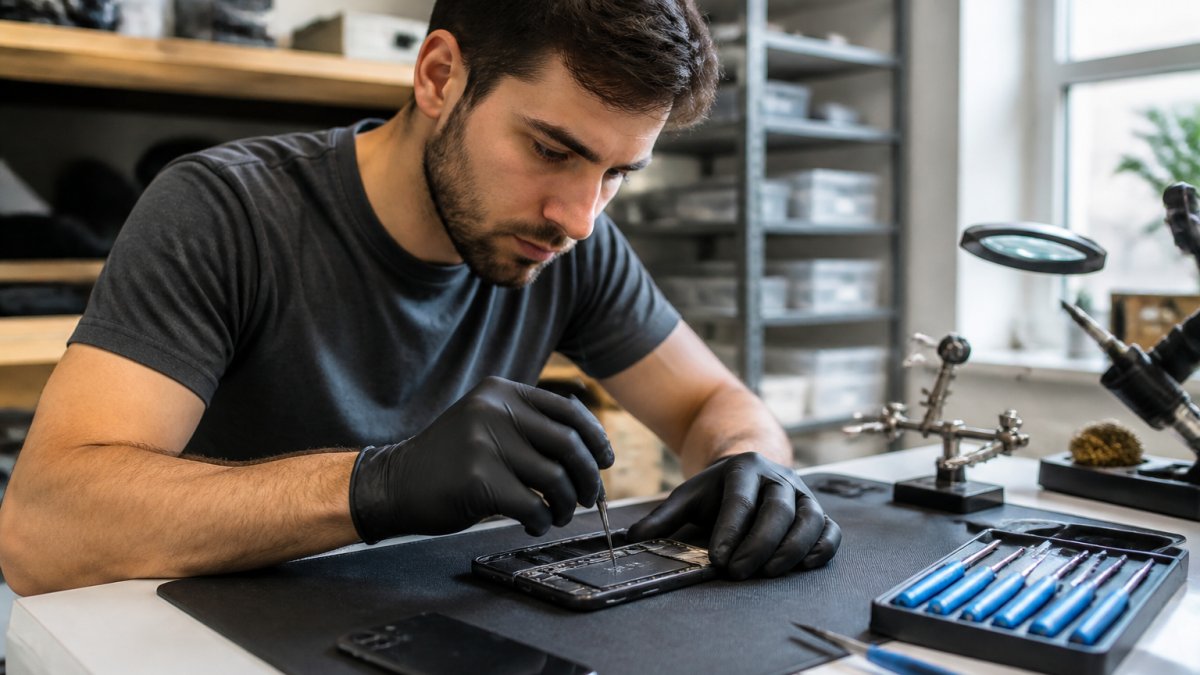
The technician removes the old display with careful heat application, cleans the frame, and installs the new genuine Samsung screen with precision alignment. OEM components fit perfectly, seal correctly, and integrate with your device's sensors.
Quality Testing and Device Calibration
After installation, the technician runs comprehensive quality testing. They test touch sensitivity across the entire screen. They verify the brightness, color accuracy, and refresh rate. They check that the biometric sensor works. They run a final factory reset if needed to ensure all systems communicate properly.
The screen is calibrated to Samsung's standards. This ensures touch responsiveness matches the original device. Without proper calibration, your screen might feel "off", slightly delayed or unresponsive in certain areas.
Finding an Authorized Samsung Service Center
Not all repair shops are authorized. Samsung maintains a network of certified service centers across the country. Finding the right one ensures you get genuine parts and factory-trained technicians.
How to Verify Authorized Technician Status
Visit Samsung's official support website and use their service center locator. Enter your zip code to find nearby authorized locations. You can also call Samsung support directly, they'll direct you to the nearest certified center.
Look for these markers of legitimacy: the technician displays Samsung certification, the facility looks professional and organized, they use genuine parts (ask to see the packaging), and they offer warranty on repairs. Avoid shops that can't verify their authorization status or won't show you where parts come from.
Local Repair Options and Service Appointments
Many authorized centers allow online appointment booking. Schedule ahead to avoid long wait times. Some locations offer express service for common repairs like screen replacement. Walk-in service is available but may mean a longer wait.
PhoneProbs offers professional diagnostics and stands behind its work.
Warranty Coverage and Genuine Parts Protection
Your device's warranty is only as good as the parts used to repair it. Genuine Samsung parts come with manufacturer backing. If a component fails due to a defect in the part itself, Samsung covers the replacement.
Third-party parts offer no such protection. If an aftermarket screen fails after six months, you're buying another screen. With genuine parts, you have recourse.
Most authorized repairs come with a 90-day service warranty on the repair itself. This covers workmanship issues, if the screen fails due to improper installation, the center fixes it for free. Your device's original limited warranty continues unchanged, as long as the repair was done by an authorized technician.
Keep your repair receipt. It documents that the service was authorized and performed by certified technicians. This protects your warranty if you ever need to claim coverage.
Troubleshooting Before You Repair
Before you commit to a screen replacement, rule out software issues and reversible hardware problems. Sometimes what looks like a display failure is actually a settings issue, a stuck app, or a loose connection that an authorized technician can diagnose in minutes.
Software-Level Diagnostics
Run a factory reset. Back up your data first using Samsung Cloud, Google Drive, or Smart Switch, then reset the device to factory settings. This clears any software conflicts that might affect display performance, color rendering, or touch responsiveness. To factory reset: open Settings > General Management > Reset > Reset All Settings (or Factory Reset, depending on your Galaxy model).
Check display settings. Brightness, color mode, and refresh rate settings can make the screen appear dimmer, less responsive, or discolored. Open Settings > Display and verify: Brightness is not set to minimum, Adaptive Refresh Rate is enabled (for newer models), Color Tone is set to default, and Vision Booster is on.
Restart in Safe Mode. If the screen flickers, freezes, or shows color distortion, a third-party app may be causing the issue. Restart your Galaxy in Safe Mode (hold the Power button, then press and hold Power Off until Safe Mode appears).
Hardware-Level Diagnostics
Check for water or moisture damage. If your Galaxy was exposed to water and the screen is now black, flickering, or unresponsive, moisture may be inside the display assembly. Do not attempt a factory reset. Instead, power off the device immediately and bring it to an authorized service center for diagnostics.
Test touch responsiveness in specific areas. If the screen is uncracked but unresponsive to touch, the issue may be localized. Open the Phone app and try to tap the keypad in different areas, top, middle, bottom, left, right. If only certain areas are unresponsive, the digitizer (touch-sensitive layer) may have a partial failure, which requires replacement.
Look for physical signs of internal damage. Examine the edges of your screen for light leakage (a glow around the frame), separation between the screen and bezel, or visible moisture under the glass. These indicate internal damage that requires professional repair. A hairline crack visible only at certain angles often indicates the digitizer is damaged even if the outer glass appears intact.
When to Proceed Directly to Repair
If any of these conditions apply, skip troubleshooting and schedule an authorized repair:
Visible cracks, shattered glass, or impact damage, Physical damage cannot be fixed by software. The longer you wait, the more likely moisture will enter the device.
Screen is completely black with no response to touch, This usually indicates a motherboard connection issue or display failure that requires professional diagnostics.
Water exposure with any display malfunction, Moisture damage worsens over time. Get diagnostics immediately.
Biometric sensor (fingerprint or face recognition) stopped working after screen damage, The digitizer and sensor alignment are compromised; only an authorized technician can realign them.
Symptom | Likely Cause | Troubleshooting Step | When to Repair |
Visible crack or shattered glass | Physical damage | None, skip troubleshooting | Immediately |
Black screen, no visible cracks | Software issue, loose connection, or display failure | Factory reset, then Safe Mode restart | If persists after reset |
Flickering or color distortion | Display driver issue, third-party app, or hardware failure | Check display settings, restart in Safe Mode | If persists in Safe Mode |
Unresponsive touch in specific areas | Partial digitizer failure | Test responsiveness in different screen areas | If localized unresponsiveness |
Unresponsive touch across entire screen | Digitizer failure or motherboard connection issue | Factory reset, then Safe Mode | If persists after reset |
Water damage visible or suspected | Moisture in display assembly | Power off immediately, do not restart | Immediately, moisture causes corrosion |
Light leakage around screen edges | Internal separation or moisture | None, indicates internal damage | Immediately |
Biometric sensor failed after screen damage | Digitizer and sensor misalignment | None, requires professional realignment | Immediately |
When you do schedule an authorized repair, mention which troubleshooting steps you've already tried. This helps the technician skip redundant diagnostics and focus on the hardware issue, potentially speeding up your repair.
Frequently Asked Questions
How can I tell if a repair shop is an authorized Samsung service provider?
Authorized Samsung service centers display official Samsung certification and are listed on Samsung's support website. Ask the technician for their authorization credentials and verify their status through Samsung's locator tool. Authorized providers use genuine Samsung parts, factory-trained technicians, and maintain your device warranty. Third-party shops may offer lower prices but cannot guarantee OEM components or factory-standard repairs.
Does a third-party screen repair void my Samsung warranty?
Yes. Using non-authorized repair services typically voids your Samsung limited warranty. Only repairs completed by authorized technicians using genuine parts preserve your warranty status. If your device is still under warranty and you have accidental damage coverage through Samsung Care+, authorized repairs are often covered at reduced cost. Always verify warranty implications before choosing a repair option.
What is the average cost of a Samsung Galaxy screen replacement?
Samsung screen replacement costs vary by model and repair location. Samsung Care+ subscribers pay as low as $29 per screen repair. Authorized service centers typically charge $150-$300 for out-of-warranty screen replacements, depending on the Galaxy model. Mail-in repair and walk-in service may have different pricing. Contact us for specific pricing on your device model.
Should I back up my phone before getting a screen repair?
Yes, always back up your data before any repair. While screen replacement shouldn't affect stored data, factory resets during diagnostics or unexpected complications could cause data loss. Back up photos, contacts, and important files to Samsung Cloud or Google Drive. Authorized technicians perform hardware diagnostics and may require a factory reset as part of troubleshooting. This precaution protects your information regardless of the repair process.
BOOK YOUR REPAIR

Comments