

Water Damage Indicator: How to Check Your Phone

Table of Contents
What Is a Liquid Damage Indicator?
Where to Find the Water Damage Indicator on Your Phone
Common locations across brands
How to Check the LDI Color and What It Means
White or silver = no water exposure
Pink or red = water or liquid contact detected
Signs of Water Damage on Phone Screen and Beyond
What to Do If Phone Gets Wet: Immediate Steps
Assess the exposure type first
Immediate action steps for water immersion or spill
When to seek professional help immediately
Post-recovery testing
Does Water Damage Void Phone Warranty?
Limitations of Liquid Damage Indicators and False Positives
Environmental humidity and false positives
Indicator placement misses some water entry points
Condensation inside sealed compartments
Multiple sensors complicate diagnosis
The indicator doesn't measure damage severity
Age and degradation
Professional diagnosis goes beyond the indicator
Conclusion
Frequently Asked Questions
Last Updated: September 24, 2026
What Is a Liquid Damage Indicator?
Pro Tip LDIs are not waterproof indicators, they're water-exposure detectors. A phone can survive brief water contact without triggering the sensor, especially if the liquid never reaches the indicator's location. That's why some water-damaged phones still show white indicators.
The indicator helps you understand what happened to your device and influences warranty coverage, as manufacturers use LDI status to determine whether damage qualifies for coverage.
Where to Find the Water Damage Indicator on Your Phone
The location of your water damage indicator varies by brand and model, but consistent patterns help you find it quickly.
Common locations across brands
Apple iPhones have LDIs in the SIM card tray slot. Samsung Galaxy phones place them in the SIM tray or near the charging port. Google Pixel phones house the LDI near the SIM tray or charging port. Motorola devices typically feature it in or near the SIM slot. OnePlus and other Android brands vary, check your device manual for exact placement.
Watch Out Do not force the SIM tray. Forcing it can damage the internal mechanism and create a false positive for water damage. If the tray won't budge, stop and seek professional help.
How to Check the LDI Color and What It Means
The water damage indicator color tells a straightforward story about your phone's exposure history. Understanding what you're looking at prevents unnecessary panic or missed warning signs.

White or silver = no water exposure
A white or silver indicator means your phone has not encountered liquid. However, a white indicator doesn't guarantee your phone is undamaged, water can damage internal components without triggering the LDI if it enters through different pathways or if corrosion develops slowly.
Pink or red = water or liquid contact detected
A pink, red, or purple indicator means your phone has been exposed to moisture, a permanent, chemical change. The intensity doesn't indicate severity; both light pink and deep red mean water reached the sensor.
Key Takeaway A color-changed indicator is permanent proof of liquid exposure. It cannot be reset, bleached back to white, or hidden. This is why LDI status directly affects warranty claims and trade-in valuations.
Signs of Water Damage on Phone Screen and Beyond
Screen issues include condensation under glass, discoloration, lines, or flickering. Audio and charging problems indicate internal corrosion: slow charging, speaker distortion, or microphone failure. Physical corrosion appears as white, green, or blue deposits on metal contacts. Battery and performance issues include rapid drain, unexpected shutdowns, or freezing. Intermittent failures, components working unreliably, are classic water damage signs caused by unstable electrical connections.
ITJungles
What to Do If Phone Gets Wet: Immediate Steps
If your phone gets wet, your actions in the first hour determine whether it survives. Your response depends on the type of water exposure.
Assess the exposure type first
Different water scenarios require different responses:
Freshwater spill or splash: Lowest risk. Proceed with standard drying steps. Saltwater or ocean water: High risk. Seek professional cleaning within 24 hours; salt deposits cause failure within days or weeks. Sugary or sticky liquid: Medium-to-high risk. Professional cleaning is recommended. Toilet water or contaminated liquid: Seek professional help immediately. Submersion: Brief freshwater submersion (under 30 seconds) may be survivable; extended or saltwater submersion requires professional assessment. High humidity or steam: Usually safe; monitor for persistent condensation after 48 hours.
Immediate action steps for water immersion or spill
Step 1: Power off immediately. Turn off your phone without delay. Step 2: Remove the SIM card. Open the SIM tray and let it dry separately. Step 3: Dry the exterior thoroughly. Use a soft, lint-free cloth and pat gently, paying attention to ports, buttons, and seams. Step 4: Do not charge or power on. Charging introduces electricity to wet circuits and accelerates damage. Step 5: Place in a dry environment. Leave it powered off in a warm, dry room with good air circulation.
When to seek professional help immediately
Seek professional help immediately if: saltwater or contaminated water exposure occurred; the phone was submerged for more than a few seconds; visible corrosion deposits appear in ports or around buttons; the phone won't power on after drying; the phone powers on but behaves abnormally (flickering, unresponsive touch, rapid battery drain, distortion, or intermittent failures); or condensation persists under the screen after 48 hours.
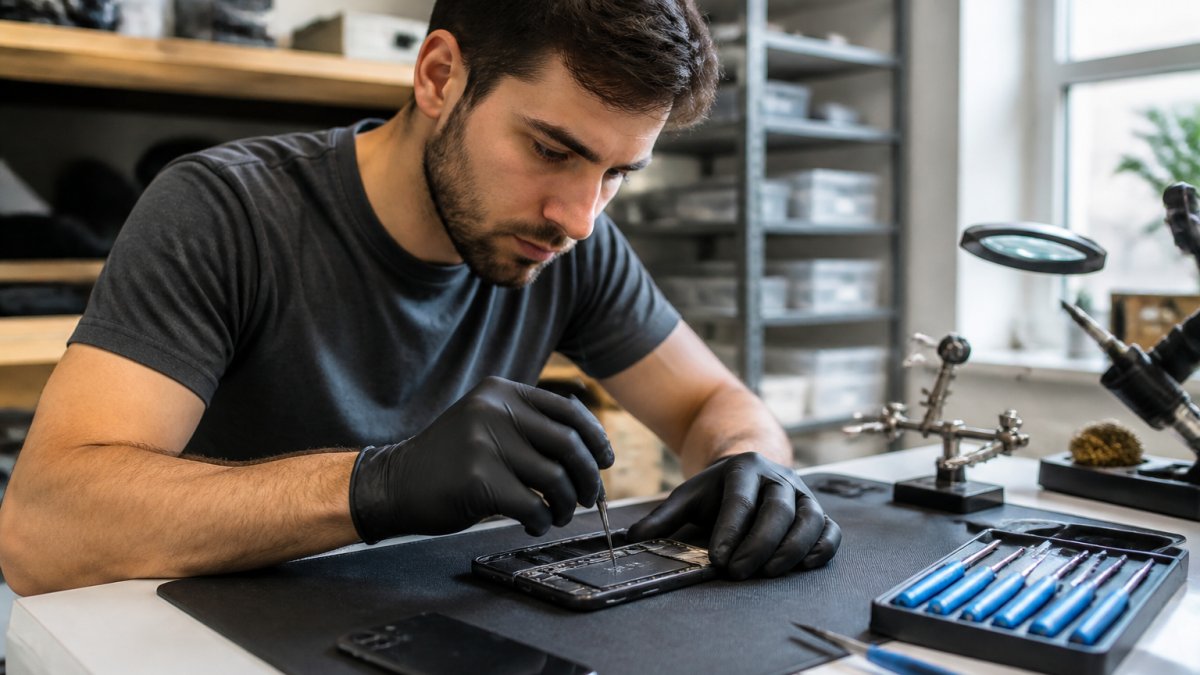
Watch Out Do not attempt DIY cleaning of internal components or disassembly. Opening your phone voids warranties and risks causing additional damage. Professional technicians have specialized equipment (ultrasonic cleaners, isopropyl alcohol baths, microscopic inspection tools) and expertise to safely disassemble, clean corroded components, and reassemble devices. Early professional intervention often saves devices that would otherwise fail within weeks.
Post-recovery testing
If the phone powers on after home drying, test all functions: make a test call, test charging, check the touchscreen, verify the camera lens is clear, and monitor battery drain. If any function fails or behaves abnormally, power off and seek professional help.
Key Takeaway The first hour after water exposure determines your phone's survival odds. Power off immediately, dry the exterior, and resist the urge to test it. For freshwater spills, 48 hours of passive drying often works. For saltwater, contaminated water, or submersion, professional cleaning within 24 hours is essential. If the phone won't power on or shows corrosion deposits, professional help is not optional, it's the only path to recovery.
Does Water Damage Void Phone Warranty?
Whether water damage voids your warranty depends on your phone's rating and your warranty type. Understanding this distinction prevents unpleasant surprises when you need repairs.
Limitations of Liquid Damage Indicators and False Positives
Your water damage indicator is useful but imperfect. Understanding its limitations prevents misdiagnosis and unnecessary panic, especially when environmental factors, not actual water immersion, trigger a color change.
Environmental humidity and false positives
High ambient humidity can cause LDI strips to change color without direct liquid contact, since the indicator reacts to moisture in the air. Users in coastal regions or those who frequently use phones in bathrooms may see color changes reflecting environmental exposure rather than water immersion.
Indicator placement misses some water entry points
Water can enter through the charging port, speaker grille, or microphone hole without reaching the SIM tray sensor, leaving the indicator white while internal damage occurs. Conversely, water near the SIM tray may trigger the indicator without causing functional damage. Placement is both an advantage and a limitation.
Condensation inside sealed compartments
Rapid temperature changes create condensation inside sealed areas. Moving from cold to warm environments or vice versa can cause internal moisture to form, triggering indicator color changes hours or days later with no actual water exposure.
Multiple sensors complicate diagnosis
Some phones (particularly higher-end models) have LDIs in multiple locations: near the SIM tray, inside the charging port area, and sometimes under the battery. One might show color change while another remains white. This inconsistency reflects where water actually traveled inside the device and can confuse users about damage severity.
The indicator doesn't measure damage severity
A pink indicator tells you water touched the sensor. It doesn't tell you whether corrosion has already destroyed internal components, whether the phone will fail tomorrow, or whether it can be safely used for another year. A color-changed indicator is evidence of exposure, not a measure of harm.
Age and degradation
Very old indicators sometimes change color naturally over years, independent of water exposure. This is rare but possible on devices more than 5-7 years old, particularly if the phone was stored in variable humidity conditions. Vintage phones with color-changed indicators may have experienced the color shift from age rather than from a specific water event.
Professional diagnosis goes beyond the indicator
Technicians inspect for corrosion deposits, test component functionality, and assess internal damage using specialized diagnostic equipment. They can determine whether a color-changed indicator reflects true internal damage or an environmental false positive. They can also identify water damage that occurred without triggering the indicator, a critical distinction for warranty claims and repair decisions.
Key Takeaway An indicator color change is evidence of liquid exposure, but not definitive proof of current damage, future failure, or the source of that exposure. Environmental humidity, temperature fluctuations, and indicator placement all create scenarios where the indicator alone tells an incomplete story. Professional inspection provides the full picture and protects you from costly warranty denials based on false positives.
Conclusion
Your phone's water damage indicator is a simple but powerful diagnostic tool. A white or silver color means no water exposure has reached the sensor. Pink or red means liquid contact occurred. Beyond the indicator, look for screen condensation, charging issues, corrosion deposits, and performance problems to assess actual damage severity.
Frequently Asked Questions
Where is the water damage indicator located on my phone?
The liquid damage indicator (LDI) is typically found inside your phone where you won't see it during normal use. On most phones, it's located in the SIM card tray slot, near the charging port, inside the microSD slot, or beneath the battery (on older models). You'll need to open the SIM tray with a small tool or eject it to inspect the indicator. Different manufacturers place it in different spots, so check your device manual for the exact location. If you can't find it, your phone may be fully waterproof or the sensor may be hidden in internal components.
What color does a water damage indicator turn when wet?
A water damage indicator changes from white or silver to pink or red when exposed to moisture or liquid. The color shift happens because the indicator contains a moisture-sensitive dye that reacts to water or humidity. A white or silver indicator means your phone has never contacted liquid. If it's pink, red, or any shade other than white, it signals that liquid exposure occurred at some point. Some indicators may show partial discoloration or a gradient effect depending on the level and duration of exposure.
Does a triggered water damage indicator void my phone warranty?
Yes, in most cases a triggered water damage indicator voids the manufacturer's warranty. When the LDI changes color, it provides evidence of liquid exposure, and manufacturers typically exclude water damage from standard warranty coverage. This means repairs related to water damage become your financial responsibility. However, some newer phones come with water-resistance ratings (like IP67 or IP68), and if damage occurs within those rated conditions, you may still have warranty coverage. Check your phone's specifications and warranty terms, or contact the manufacturer directly. If your device has water damage, PhoneProbs offers professional repair services.
How accurate are liquid contact indicators?
Liquid damage indicators are generally reliable but not 100% foolproof. They accurately detect direct water or liquid exposure in most cases, but environmental humidity, condensation, or exposure to high moisture can sometimes trigger a false positive. This is especially common in humid climates or after prolonged exposure to steam. Conversely, a white indicator doesn't guarantee your phone is water-safe; internal corrosion can occur without the external sensor changing color. The indicator is a diagnostic tool, not a definitive proof of damage. If your indicator shows color change but your phone works normally, internal damage may still be developing. For a thorough assessment, have a technician inspect your device for corrosion or hardware failure.
BOOK YOUR REPAIR

Comments